
Have an idea for a product?
From an idea to a working product.
MVP A working MVP in about two weeks, from A$3,999 + GSTScoped, priced, built and delivered — stage by stage. AI drafts and builds; engineers review and sign off.
What we’ve built
Every one is a working build you can open and use — not a mock-up.
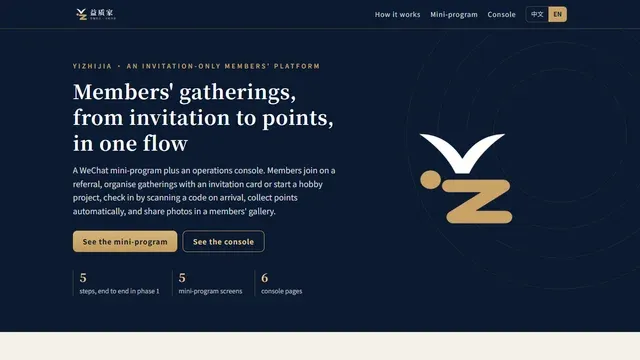
Yizhijia invitation-only members' platform
Open the demo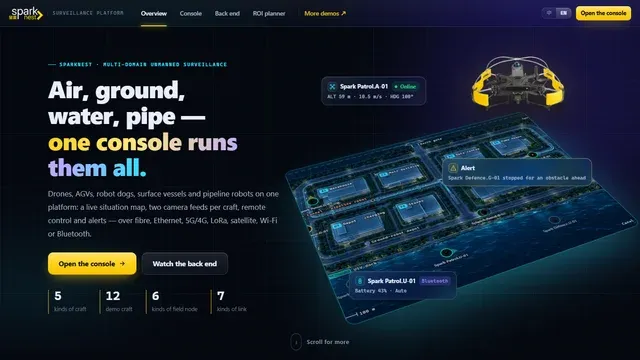
SparkNest · multi-domain unmanned surveillance platform
Open the demo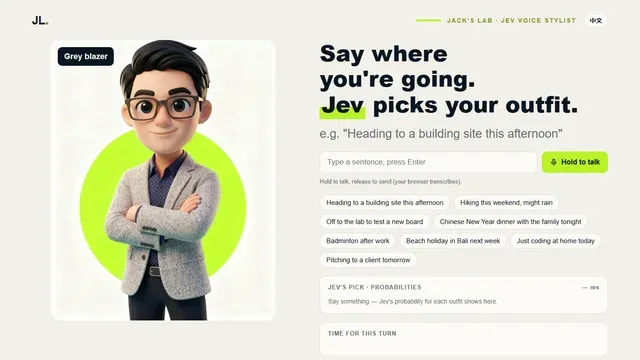
Jev voice stylist
Open the demoThe platform underneath
Every stage recorded, every stage reviewed
Requirements, design, quote, build, delivery, documents and invoices all sit on one project record, so nothing is retyped or lost between tools. Nothing the AI writes counts until someone else has reviewed it and someone with authority has approved it.
Hours
from request to a first engineered quote — not weeks
7 AI drafting tools
tenders, patents, concept 3D, diagrams, decks — each filed as a draft for sign-off
3 signatures
prepared, reviewed, approved — enforced before a document leaves
Quote → paid
PO, invoice and payment on the same record as the quote they came from
02 · Scope & quote
From a sentence to a signed quote
-
NDA
A mutual NDA the client signs online, on any device
-
Request
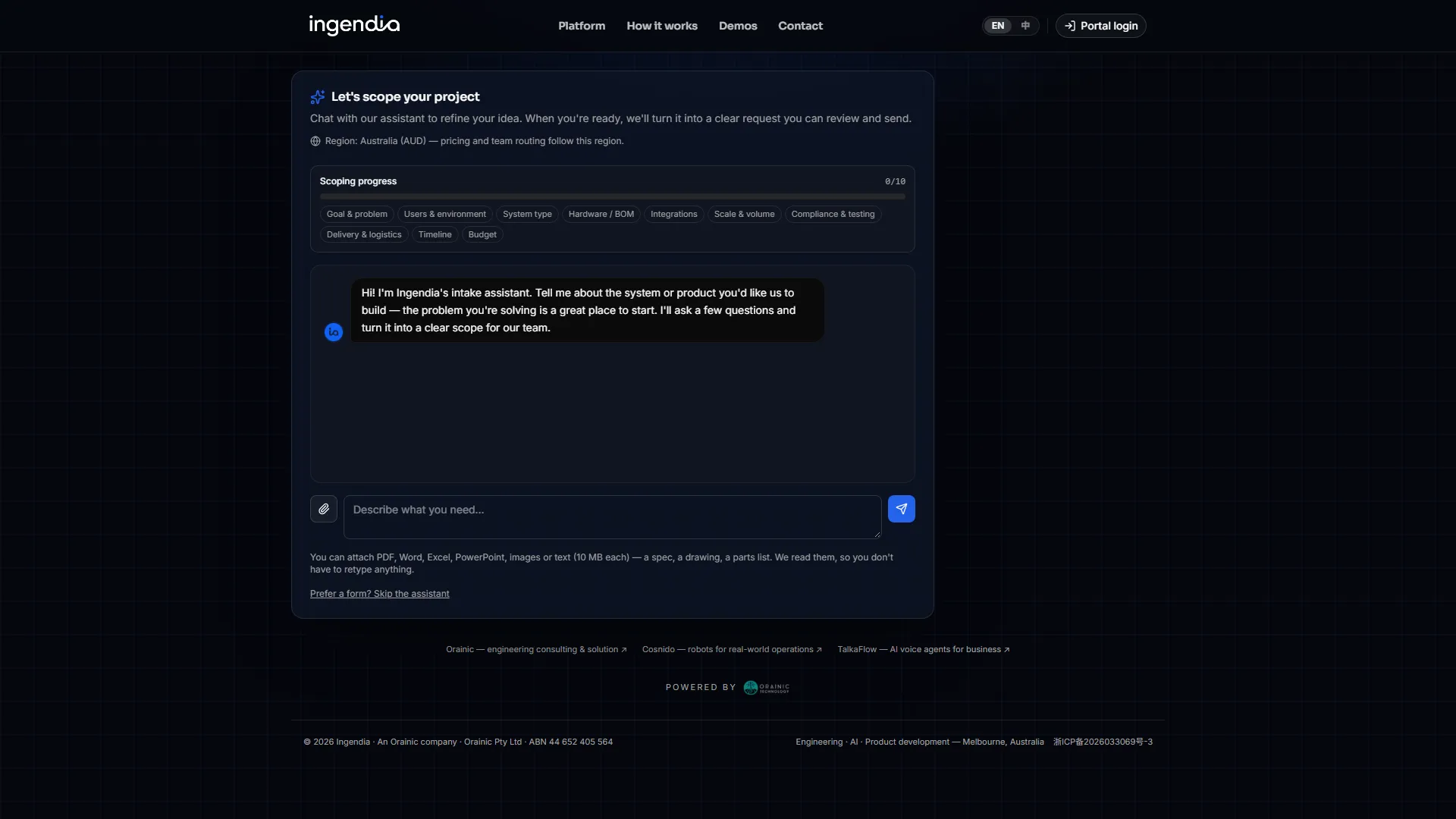
Text, voice, drawings or a scan — the AI works through ten scoping topics
-
Client Q&A
One link; the client answers on a phone and attaches photos
-
Requirements §2
Customer needs → functional and non-functional requirements, each traceable
-
Design §3
Nine design disciplines, drafted from your approved past work
-
Quote
Rate card × BOM, with the AI share priced in the open
-
Tender response
Clause by clause; what cannot be supported stays “to confirm”
05 · Full build & delivery
Held to the promise, hour by hour
-
AI builds, engineers sign off
Prototype, MVP and the full build: the AI does the building, an engineer reviews and signs off each stage
-
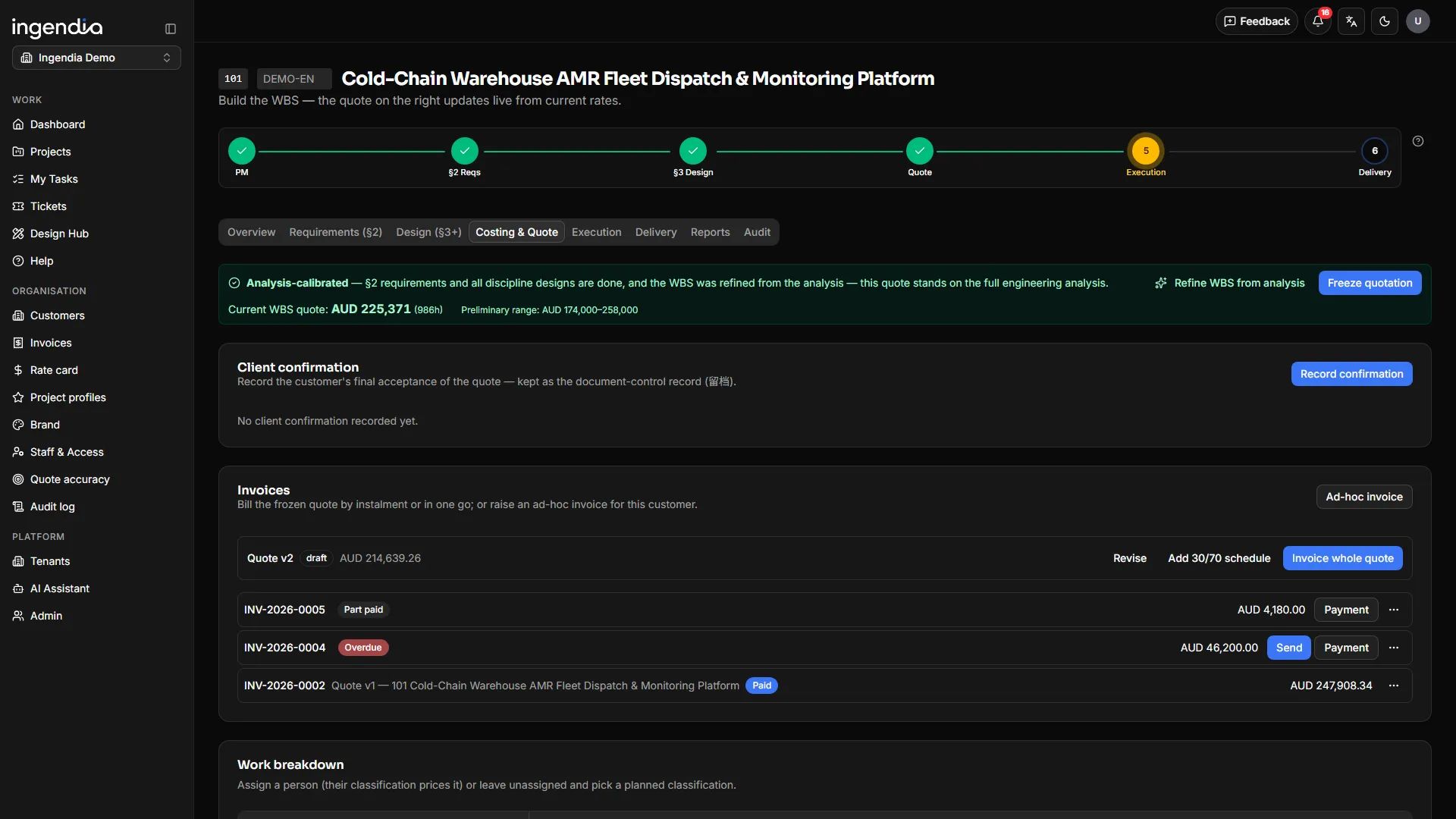
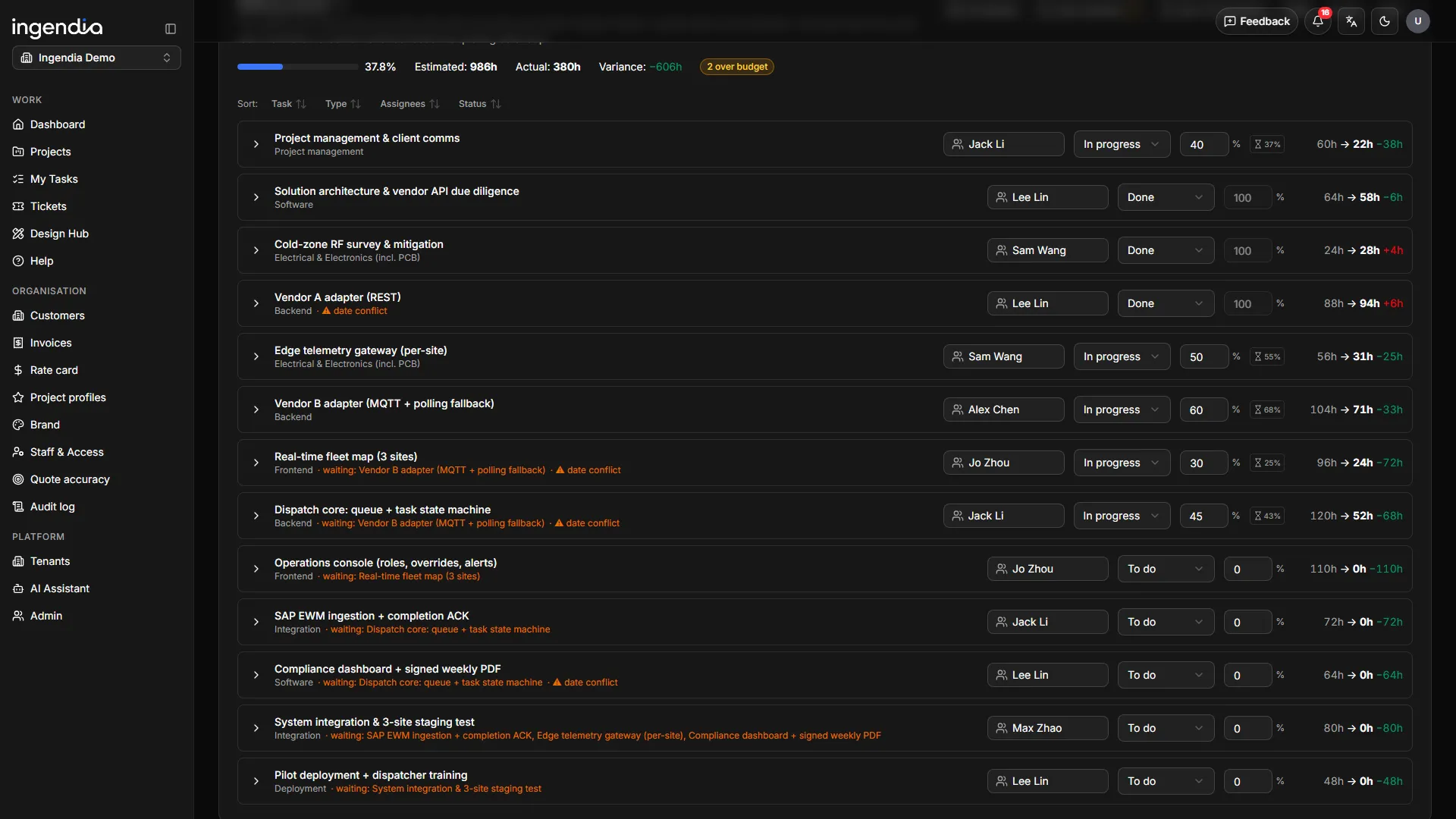
Delivery board
Milestones, Gantt and variance against the frozen quote
-
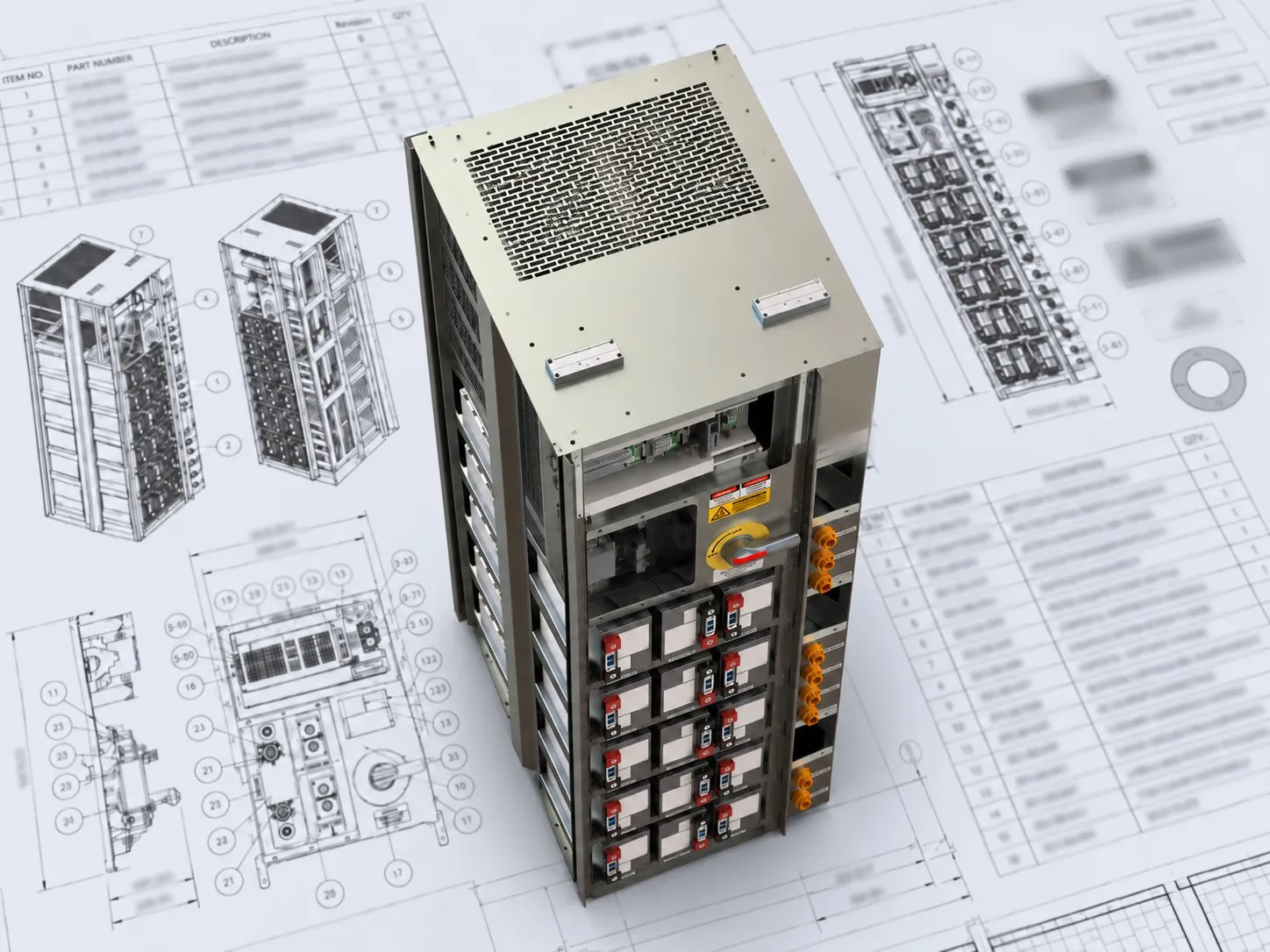
Design outputs
Each owned by a named engineer, packed into one delivery ZIP
-
Design review
eTAR checklists with a finding and photos per item
-
Human + AI, per task
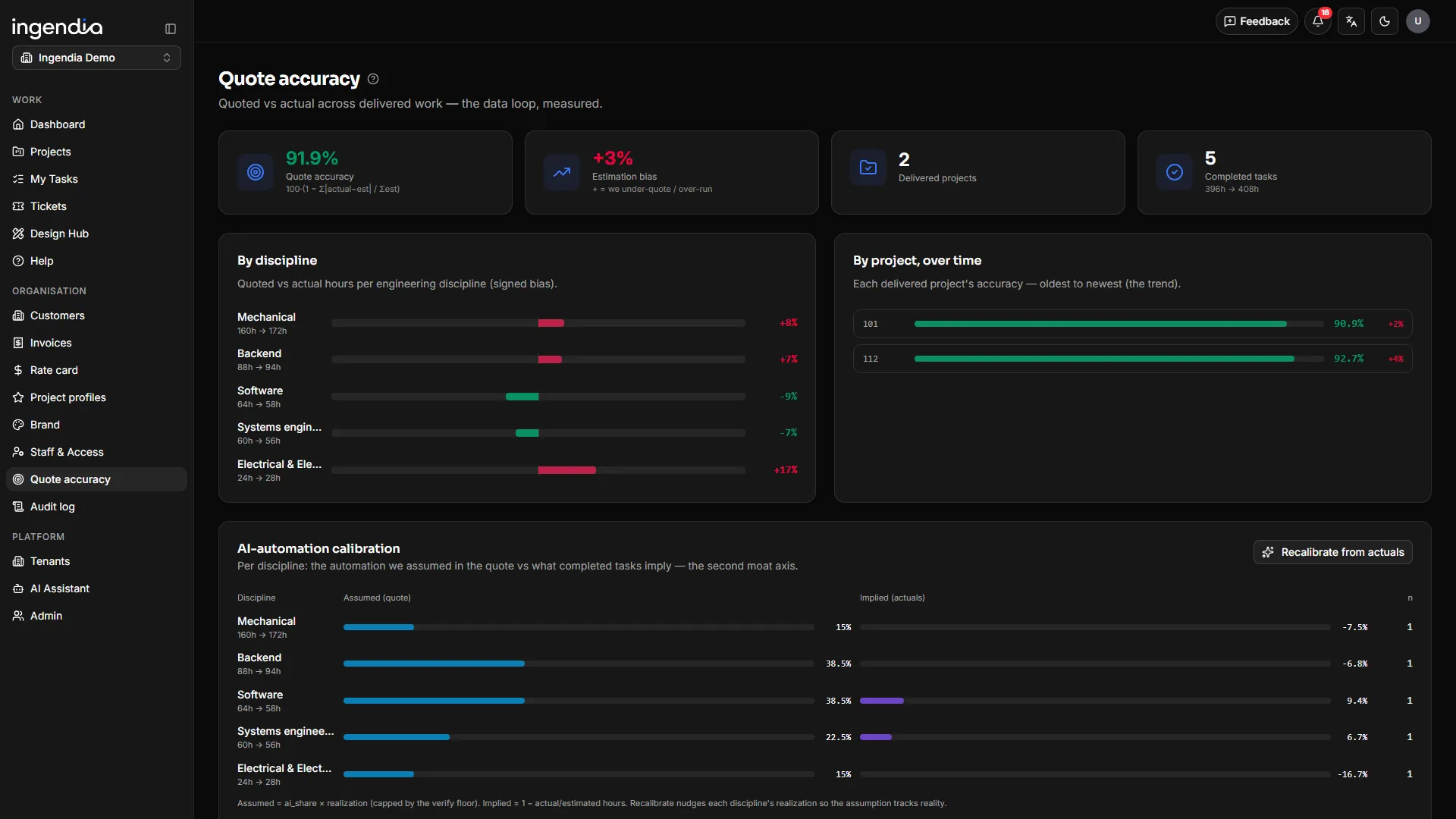
Each task splits into human hours and an AI share, calibrated from what delivery actually took
-
To the standard
V&V plans, DFMEA, EN 50155 and calculators that cite their tables
06 · Controlled documents & payment
Signed, filed and paid
-
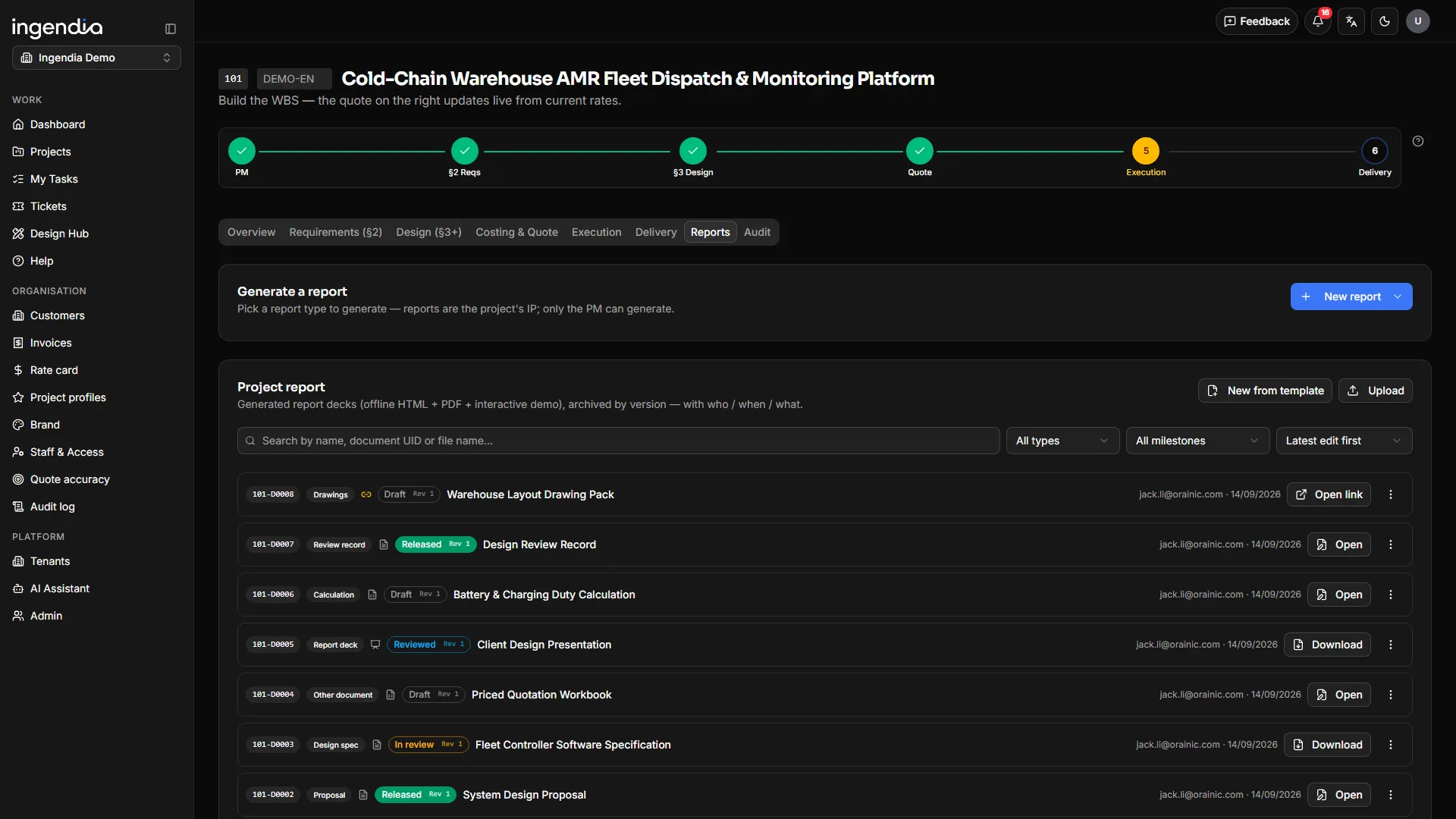
Controlled documents
One number, three signatures, frozen on release
-
Generated, not typed
Proposal, client brief, engineering report and workbooks, in your own masters
-
Quality system
Company procedures in the same register, under the same rules
-
Customers
Duplicates proposed and merged by a person; projects re-filed safely
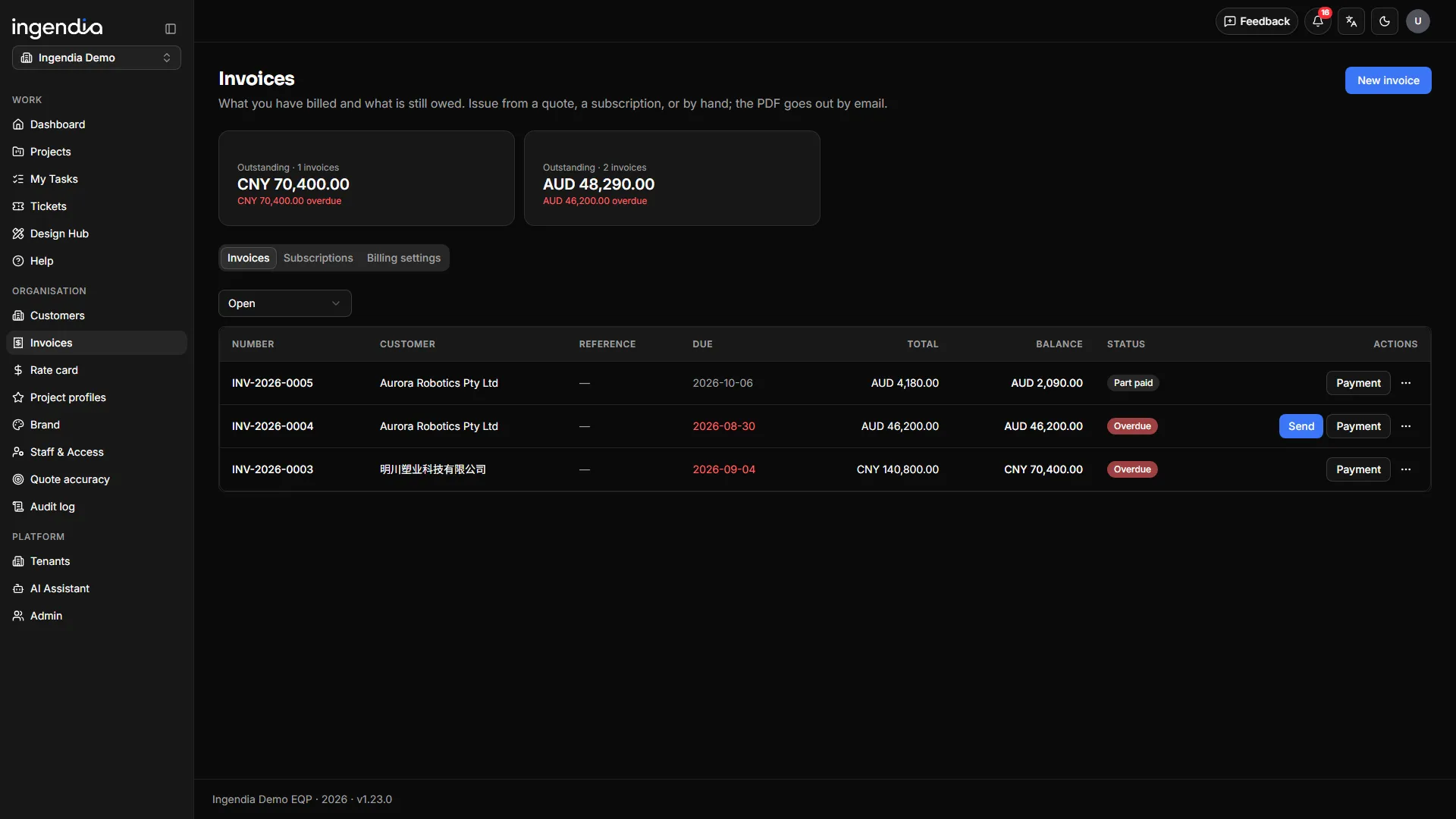
Invoice → paid
- Draft
- Issued
- Sent
- Part-paid
- Paid
Instalments on the quote become invoices; payment arrives by bank transfer and is recorded by a person.
The data loop ·What delivery actually took flows back into estimating — every finished project makes the next quote sharper.
AI drafts. Engineers sign.
- Pick the material
- AI drafts
- Filed as a draft
- Someone else reviews
- Approved & released
Drafting tools
7- Tender compliance matrix Beta
- Tender technical response Beta
- Concept 3D Beta
- Patent disclosure Beta
- Diagrams Beta
- Deck Studio Beta
- Client review pack Beta
Engineering to a standard
8- V&V plans Beta
- DFMEA Beta
- EN 50155 assessment Beta
- EN 50124-1 calculator Beta
- Cable sizing Beta
- Calculation records
- Standards by domain
- Design review (eTAR)
See every feature (34)
Items marked beta are live and still being refined.
Win the work
8AI intake
Clients type, talk or upload drawings — scans and phone photos included. Ten scoping topics, then scope, timeframe and a budget range on the spot.
Client question packs
One unguessable link. The client answers on a phone with no account, attaches photos per question, and one click carries an answer into §2.
Traceable requirements
Customer needs derive numbered functional and non-functional requirements; AI revisions arrive as was / now, and upstream change flags what depends on it.
Nine design disciplines
Systems, industrial design, mechanical, test facility, electrical & electronics, firmware, software, AI/data and integration — drafted from approved past work.
Rate-card quoting
The work breakdown prices itself from rate card, grade and BOM; travel, testing, site, training and IP each get their own line on the quote.
Tender responses
BetaClause-by-clause compliance with disqualifying clauses flagged mechanically, and a technical response drawn from this project’s §3.
Quotes by audience
Client, reviewer and internal editions. Cost and margin exist only in the internal one — absent from the file, not a hidden column.
Online NDAs
Raise a mutual NDA against a customer and send a secure link; the client signs on any device, drawn or typed, and your countersignature executes it. The executed PDF is stored with its SHA-256 and an execution certificate. One template today: your own lawyer-approved wording.
Deliver the work
7Delivery board
Milestones, a draggable Gantt and hour-level variance, all measured against the frozen quote.
Human + AI, per task
Each task splits into human and AI shares, calibrated per discipline from actuals; passing the saving on is one switch.
Design outputs & delivery pack
Generated from §3, each item owned by a task and a person; one click packs the ZIP, generated files reviewed first.
eTAR design review
Symbols & footprints, schematics, PCB, RF/EMC, manufacturability and cable checklists — finding, notes and photos per item.
Report decks, generated
BetaThe project deck is built from §2, §3 and the schedule; the AI writes the narrative, the fact slides come from the record.
Diagrams & concept 3D
BetaArchitecture and workflow diagrams as self-contained SVG; a client’s sketch becomes a rotatable massing model.
Everyone sees their own queue
My tasks, my deliverables, documents waiting on my signature — the work you owe is a list, not an email you missed.
Engineer to a standard
7V&V plans
BetaA verification and validation matrix traced to §2. AI drafts method, acceptance criteria and test case; uncovered or changed requirements and “pass” without evidence are flagged live. Signed and frozen.
DFMEA
BetaAI drafts failure chains and suggested S / O / D from design outputs and BOM; the engineer confirms every field, severity separately. AIAG-VDA method; exports to Excel.
EN 50155 assessment
BetaRailway onboard electronics: classes pre-filled from the standard, supply ranges and test values derived, an 89-item checklist, and three signatures before it is approved.
EN 50124-1 calculator
BetaClearance and creepage, every table value transcribed from EN 50124-1:2017 and cited. Out-of-range inputs are refused, never extrapolated.
Cable sizing, 2025 edition
BetaAS/NZS 3008.1.1:2025 — most common installation methods, aluminium and up to 500 mm². Grouping, single-core, parallel runs and short-circuit not yet covered.
Calculation records
Every calculator prints a PDF recomputed on the server — inputs, results, citations, checks not run — under a status banner that never defaults to pass.
Standards by domain
Electrical, railway and medical, each with its tools beside your firm’s standards library (set up per firm), linked from your document system.
Stand behind it
7One number, three signatures
A permanent number per document; prepared ≠ reviewed ≠ approved is enforced, and release writes the three names into the file.
Every formal document in one click
Proposal PDF, client brief PDF, the §2+§3 Word report, the execution workbook and the priced workbook — in your own brand masters.
Patent disclosures, drafted
BetaA Word disclosure in the house format, with patent numbers and URLs stripped from the background and the applicant left for a person.
Edit in Office for the web
Open a controlled Word, Excel or PowerPoint file in real Office, co-author it, and save back as the next version under the same number.
Your QMS in the same register
Quality manual, policies and procedures under the same numbers and signatures — read in one language or side by side in two.
Invoicing to paid
Quote → PO → invoice → paid; instalments become invoices, the email carries a tracked link, subscriptions issue themselves.
A customer roster that dedupes
Duplicates are proposed and a person merges them; a customer with projects cannot be deleted, and projects re-file cleanly.
Run it as a platform
5Multi-organisation, multi-brand
Several organisations on one platform, each with its own brand, document masters, rate card and roles, each seeing only its own data.
The navigation is the permission
A PM runs their own projects and an org admin runs the organisation — the pages you can see are the access you have.
Bilingual, two regions
UI and documents in English and 中文 with the output language pinned per project; live in Australia and China, quoting in AUD · CNY · USD.
An AI engine per tool
Intake, design and each Design Hub tool can be pinned to its own model; leave one blank and it follows the design engine.
Audit trail & built-in manual
A full per-project audit trail for quality audits, and a manual page behind every screen.
For engineering firms
Engineering firms: deliver your own clients on the same platform
The intake and quoting, requirements and design, delivery tracking, controlled documents and invoicing we use are available to your firm too — under your own brand, for your own clients.
Got an idea? Start with something you can click.
Find out with real screens before you commit to a full build.