
Design Hub
AI drafts. Engineers sign.
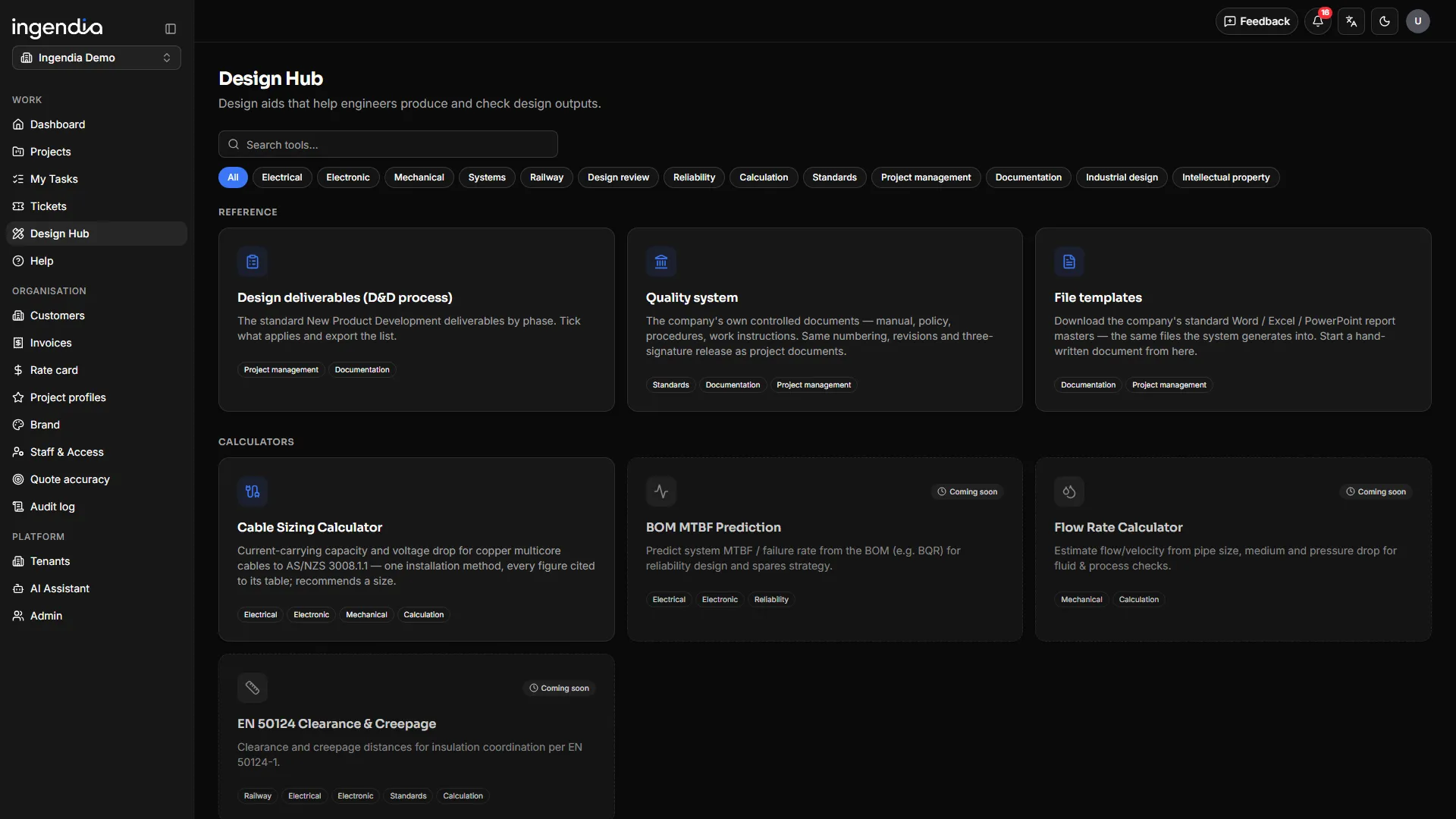
The shelf of everyday engineering tools: seven AI drafting tools beside the design-review checklists, the deliverables list, file templates and engineering calculators. Whatever a tool drafts lands in the controlled register as a draft — never as a finished document.
One path for every tool
Nothing an AI drafts leaves without two people
- 01
Pick the material
Tick what the tool should read from the project register — a tender, a client’s sketch, §2 and §3, past deliveries. PDF, Word, Excel, PowerPoint and scans are all read.
- 02
AI drafts
The job runs in the background. Each tool can be pinned to its own AI engine; left blank, it follows the design engine.
- 03
Filed as a draft
The output enters the register with a version, the brief it was given and the material it drew on — regenerating reads that record back, so “why does v3 differ from v2” has an answer.
- 04
Someone else reviews
The person who prepared it cannot review it. Every refusal names the rule that stopped you.
- 05
Approved & released
Only a release by someone with authority makes it a document — and freezes that revision.
The drafting tools
Seven tools that draft real documents
Tenders
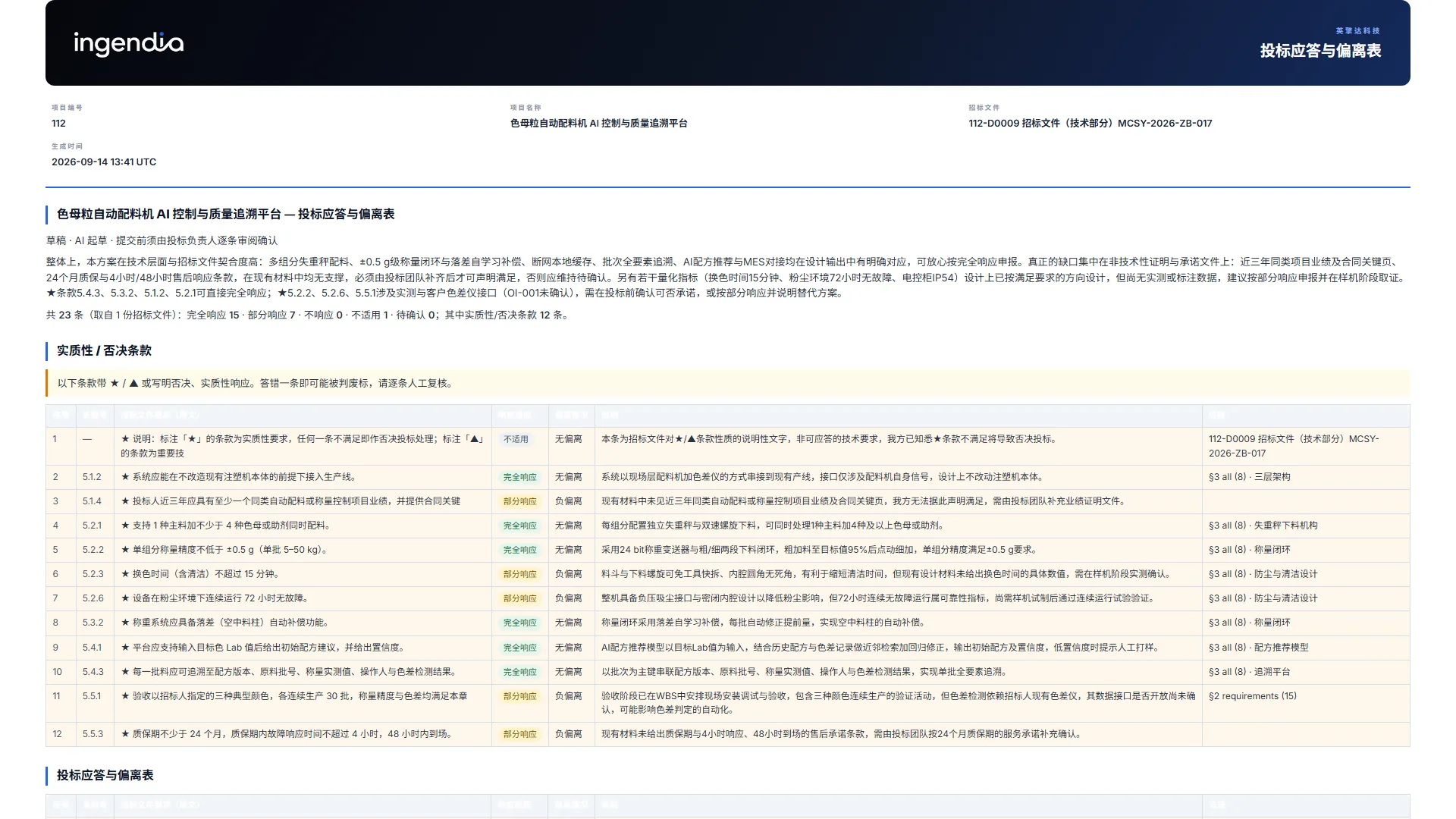
BetaTender compliance matrix
Upload the tender into the project register and tick it. The clauses are split out and answered one by one — and the rules that matter are enforced by the system, not left to the engine noticing them.
- Clauses quoted verbatim, with their printed numbering kept
- Each answered as full, partial, non-compliant or not applicable — with the deviation, one sentence and its evidence
- ★ / ▲, disqualifying and substantive-response clauses detected mechanically and listed in their own section
- Evidence may cite only the material you ticked; anything else is dropped and listed at the end
- A clause the engine cannot support stays “to confirm” — never a promise made on your behalf
Tender PDF · scans OCR’d → Compliance matrix
Tenders
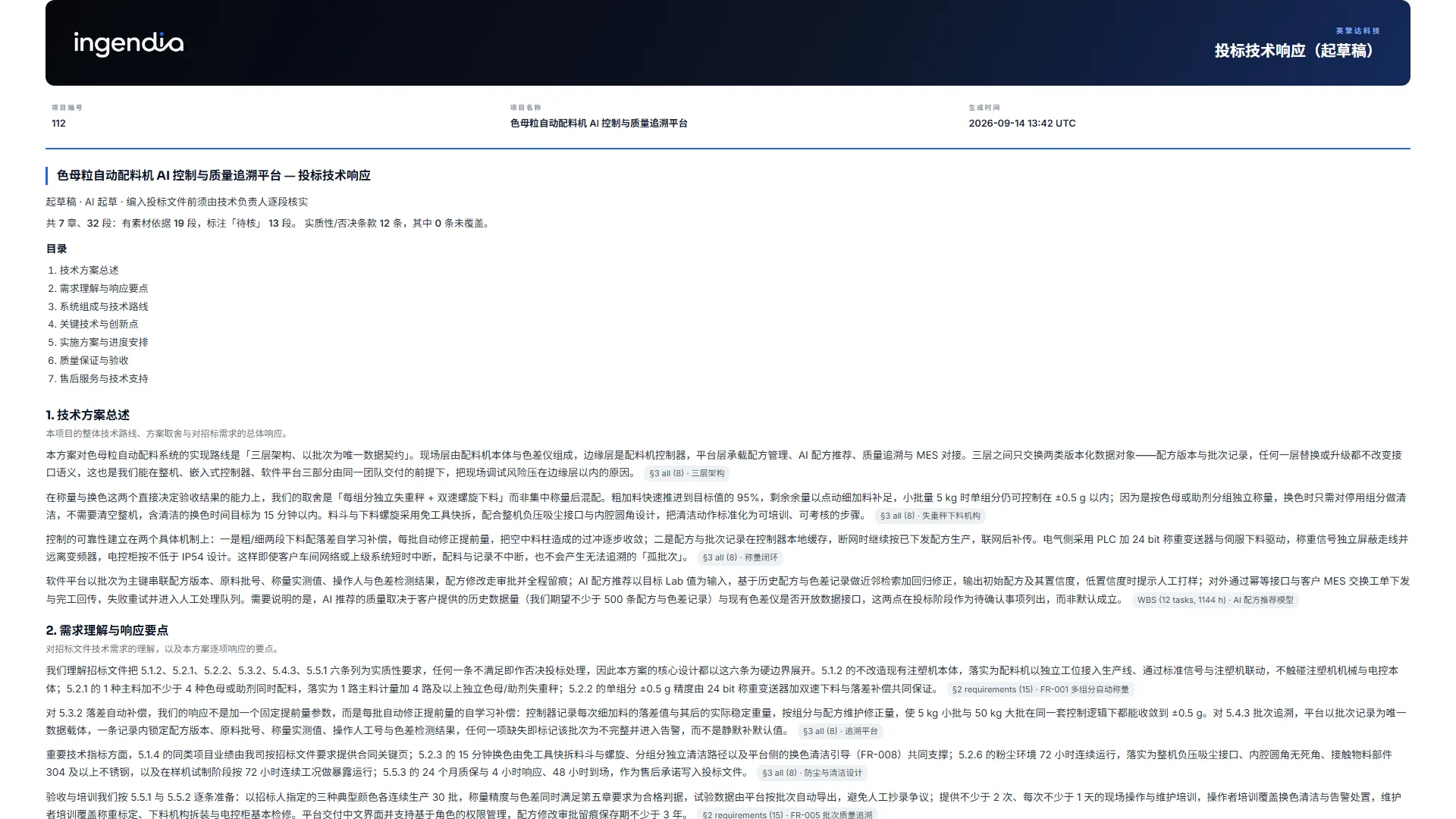
BetaTender technical response
The technical chapters an evaluator actually scores, drafted from this project’s own §3 design rather than from generic bid language.
- A fixed seven-chapter skeleton
- Every paragraph names the material it rests on, or is marked “to verify”
- A coverage table maps each substantive clause to the chapter that answers it
- Clauses no chapter claims are printed as “not covered” — before the evaluator finds them
Tender + this project’s §3 → Technical response draft
Intellectual property
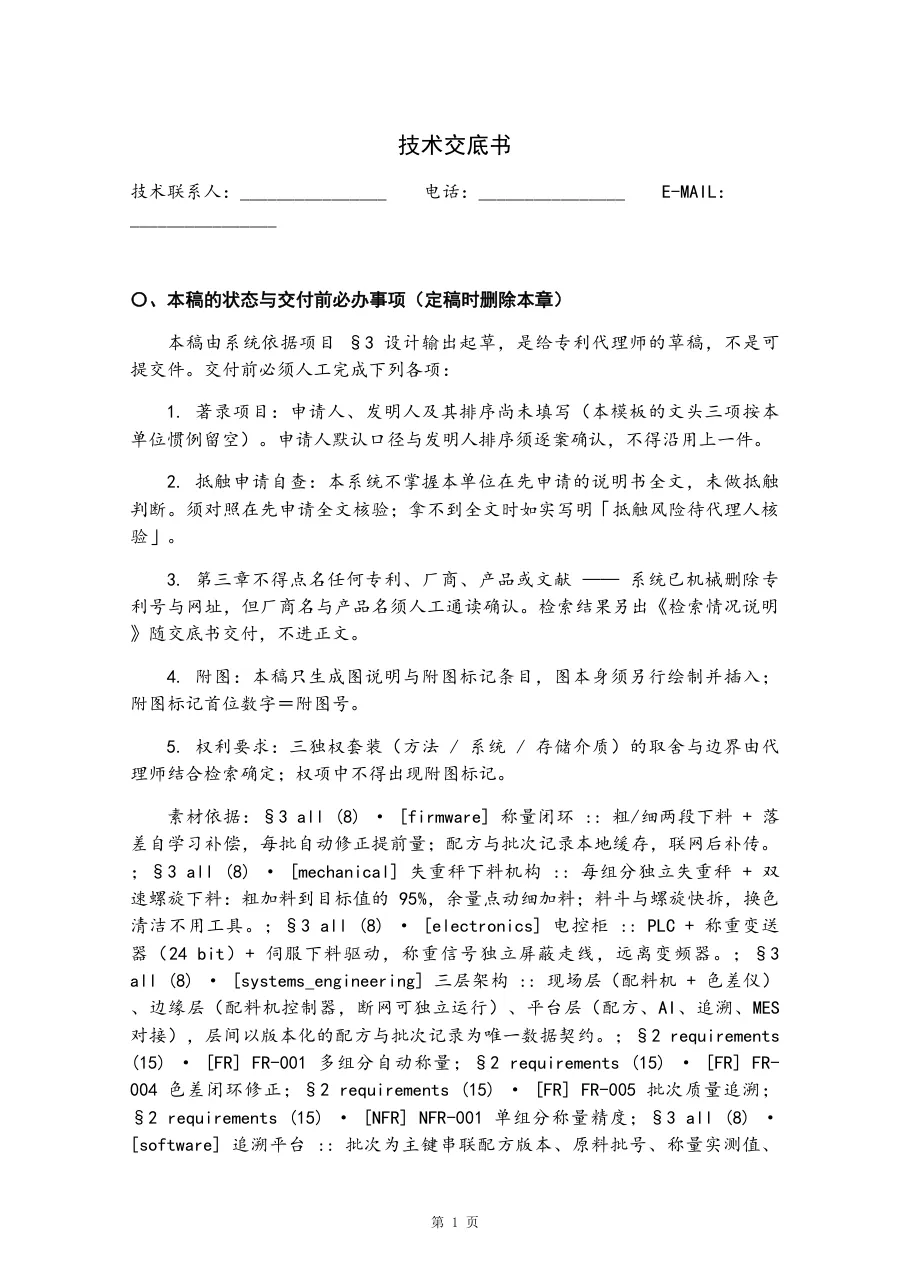
BetaPatent disclosure
A Word file in the house disclosure format a patent attorney is actually sent — with the two mistakes that hurt an application designed out.
- Seven chapters, Chinese-numeral chapter numbers, page numbers in the footer
- Patent numbers and URLs stripped from the background section — a document cited there reads as prior art the applicant admits
- Applicant, inventor and date left blank, to be confirmed case by case
- The first chapter lists what a person must still do before sending it, including the conflicting-application check the system does not run
Project design + material → Disclosure .docx
Proposals
BetaConcept 3D
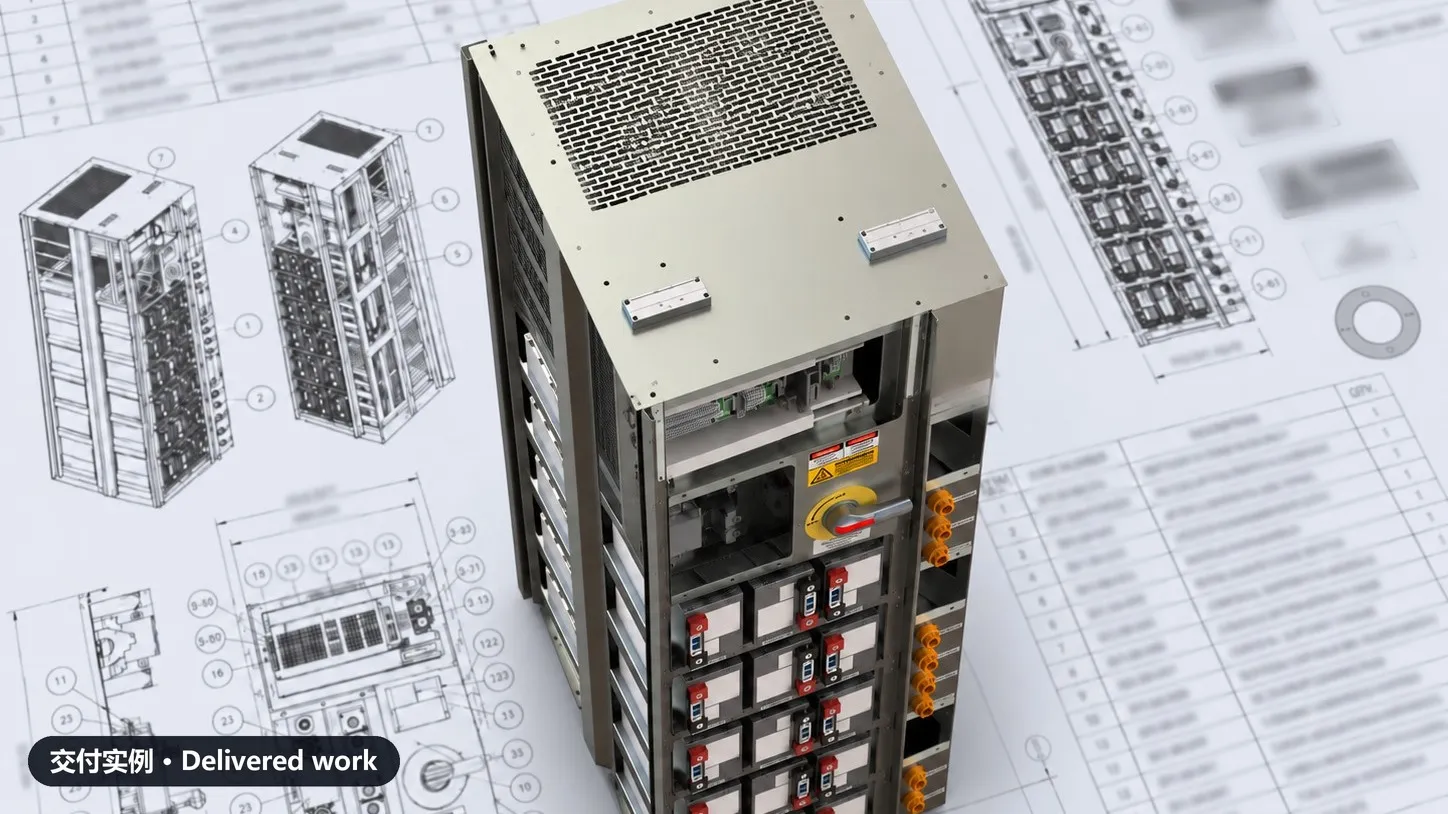
For the weeks before any CAD exists: a client’s concept image, photo or layout becomes a model they can turn around in a browser.
- A vision-capable engine reads the picture
- A rotatable massing model in one self-contained file that opens offline
- A block whose dimensions came from nowhere is not built — dropped blocks are printed with the reason
- “Concept only · not dimensioned” sits inside the viewport, not in a footer
Sketch / photo / layout → Rotatable 3D model
Figures
BetaDiagrams
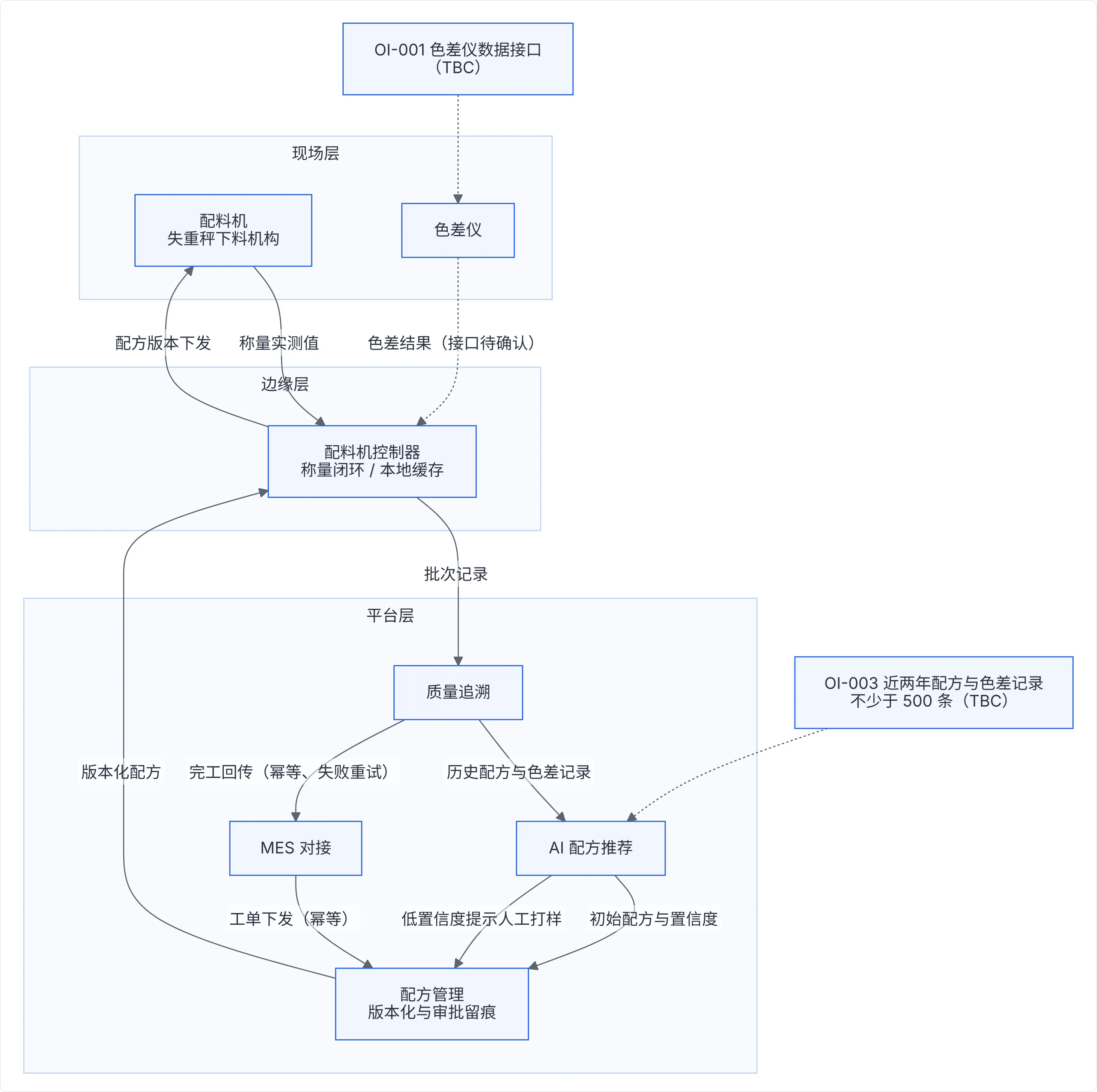
Architecture, workflow, sequence and state diagrams, drawn on the server and filed as a controlled figure that opens anywhere.
- Rendered to a self-contained SVG — no script, no CDN, nothing fetched when it is viewed
- Opens on a phone, from a saved file, inside a PDF export and on mainland networks
- The layout is graded from its own nodes and edges: disconnected boxes, or a strip too wide to read, go back with the specific objection
- The better of the two attempts is the one that is filed
Description / design → Controlled SVG figure
Reporting
BetaDeck Studio
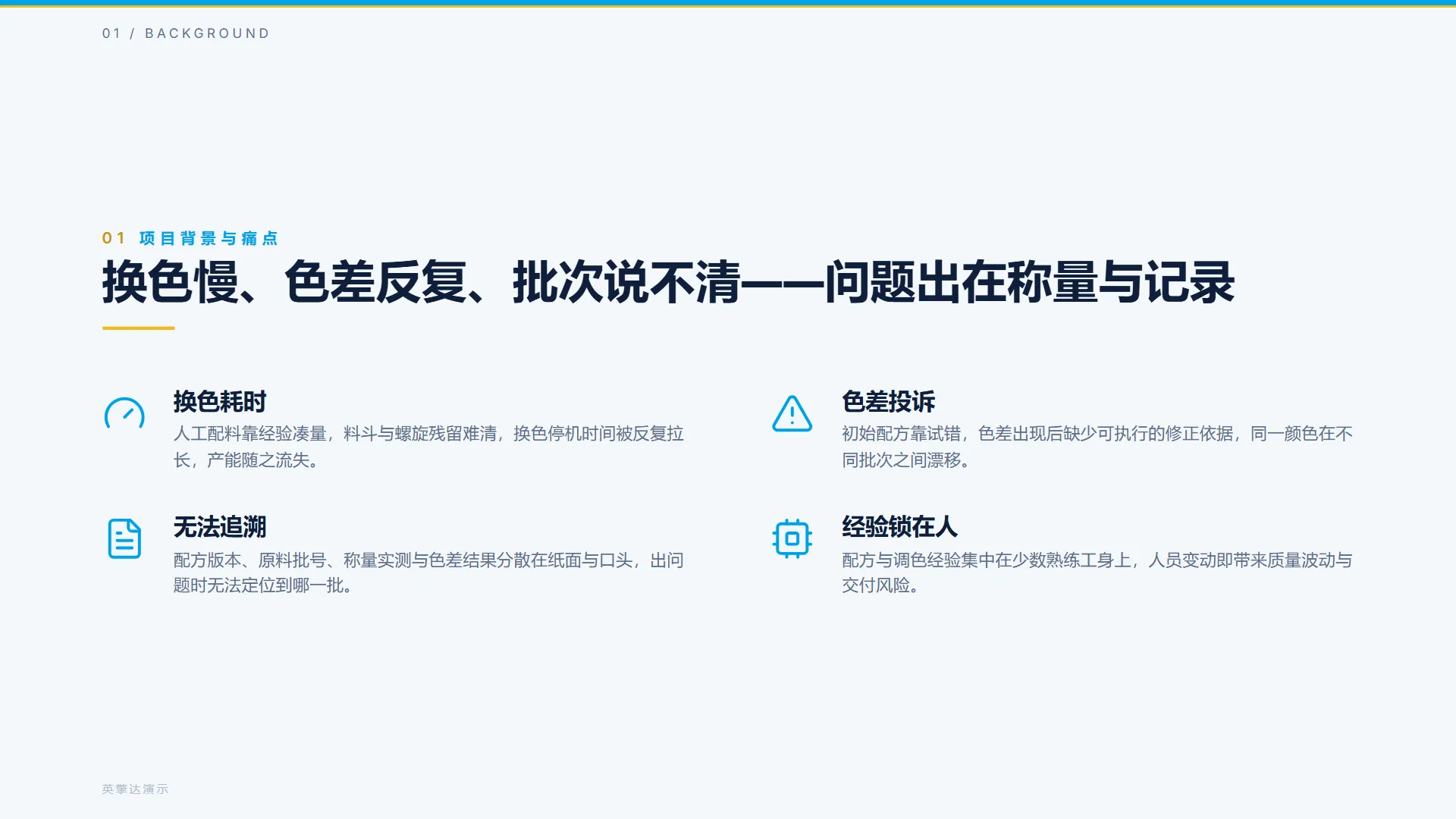
The project report deck, with its narrative drafted for the occasion — and its facts out of the engine’s reach by construction.
- Pick the material and say what the deck is for; the AI drafts the narrative frame
- Requirements, acceptance, schedule, roadmap, risks and past work come straight from the project record
- Filed in the register by revision, with the brief and the material it drew on
§2 / §3 / schedule + material → Project report deck
Client collaboration
BetaClient review pack
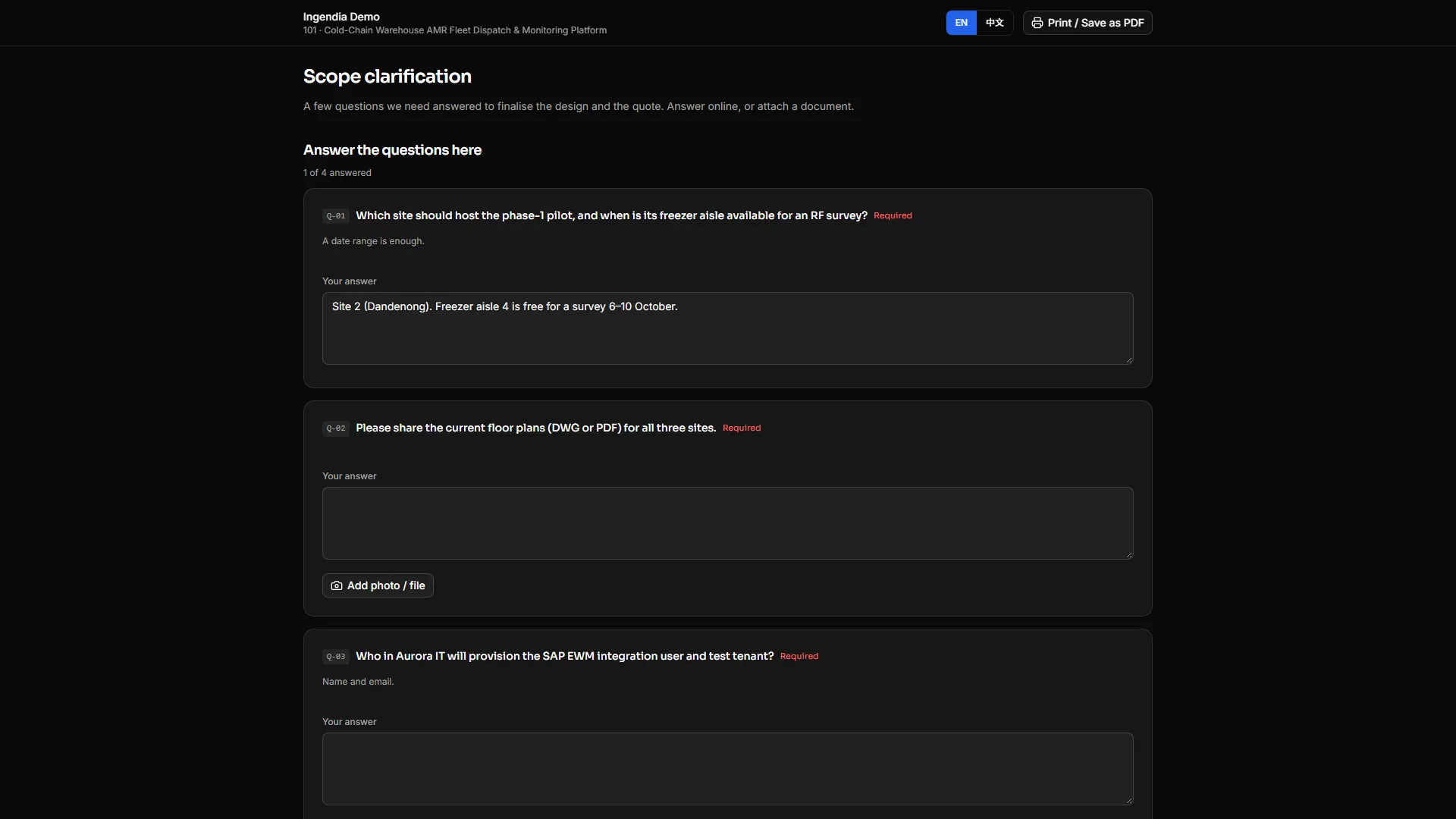
The stage review a client actually has to act on, drafted over the §2 skeleton and published as a link they answer.
- Scope, what we found, information gaps, design issues, blockers, open questions and an action plan
- Published as one unguessable link — no account, answers on a phone, photos per question
- Opens in the sending organisation’s language
- An answer reaches §2 only when someone accepts it
§2 analysis → Review pack + answer link
Reviews, references & calculators
The tools that keep a design honest
Checklists live on the server, published per organisation and versioned — publishing adds a revision and never overwrites, so the wording a review was filled in against last month is still there.
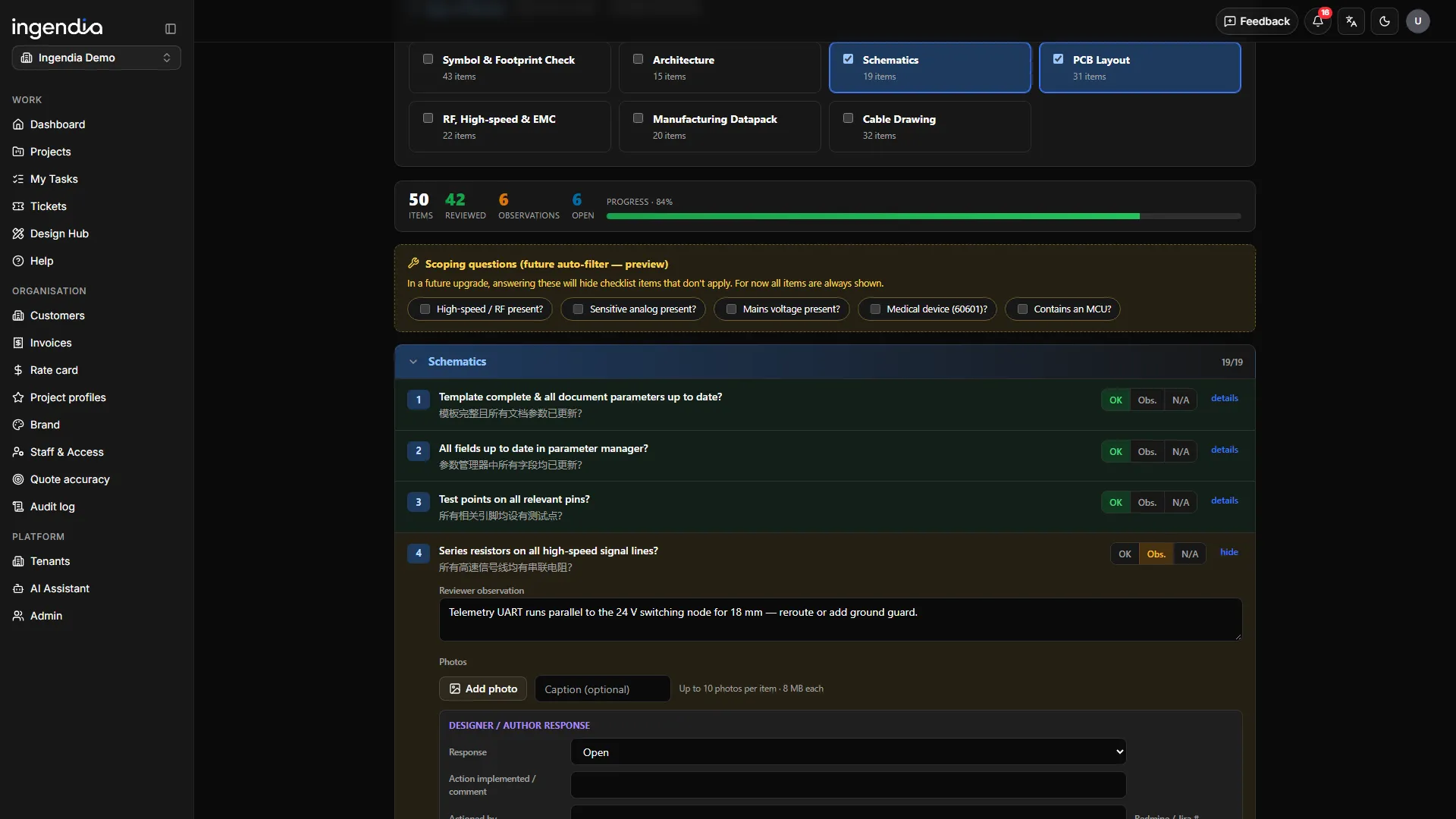
Design review (eTAR)
Symbols & footprints, architecture, schematics, PCB, RF / high-speed & EMC, manufacturability and cable checklists — a finding, notes and photos per item, in a record the team shares.
Design deliverables
The controlled reference for what each design and development stage should produce, published per organisation and versioned.
File templates
The company’s Word, Excel and PowerPoint masters — and which one your organisation actually generates into.
Quality system
Your controlled company documents, under the same numbering and the same three signatures.
Cable sizing
BetaCurrent-carrying capacity, volt drop and minimum cross-section to AS/NZS 3008.1.1.
On the shelf next
- MTBF calculator
- Flow-rate calculator
- EN 50124 calculator
- DFMEA
- mTAR
- EN 50155 test plan
- Verification & validation
- Design change
Shown in the product as placeholders that do not open yet.
Describe your project. Get an engineered answer.
Type it, say it, or drop in a drawing — the intake takes minutes, and the analysis starts immediately.