The product-development platform for engineering firms

From a one-line request to a delivered, paid project.

An engineered quote in hours is only the first step. Requirements, per-discipline design, tender and patent drafting, delivery tracking, controlled documents and invoicing — the whole engineering project in one system, where the AI drafts and engineers sign.

Client request — text, voice or drawings

Hours

from request to a first engineered quote — not weeks

7 AI drafting tools

tenders, patents, concept 3D, diagrams, decks — each filed as a draft for sign-off

3 signatures

prepared, reviewed, approved — enforced before a document leaves

Quote → paid

PO, invoice and payment on the same record as the quote they came from

End to end

One engineering project, start to finish, in one system

The quote is where it starts. Everything after it — the design, the tender, the delivery, the documents, the invoice — runs on the same record, so nothing is retyped and nothing is lost between tools.

Win the work

From a sentence to a quote you can stand behind

Five gated stages, each built on the signed-off stage before it — the way an ISO 9001 design review is supposed to work, minus the paperwork.

  1. Intake

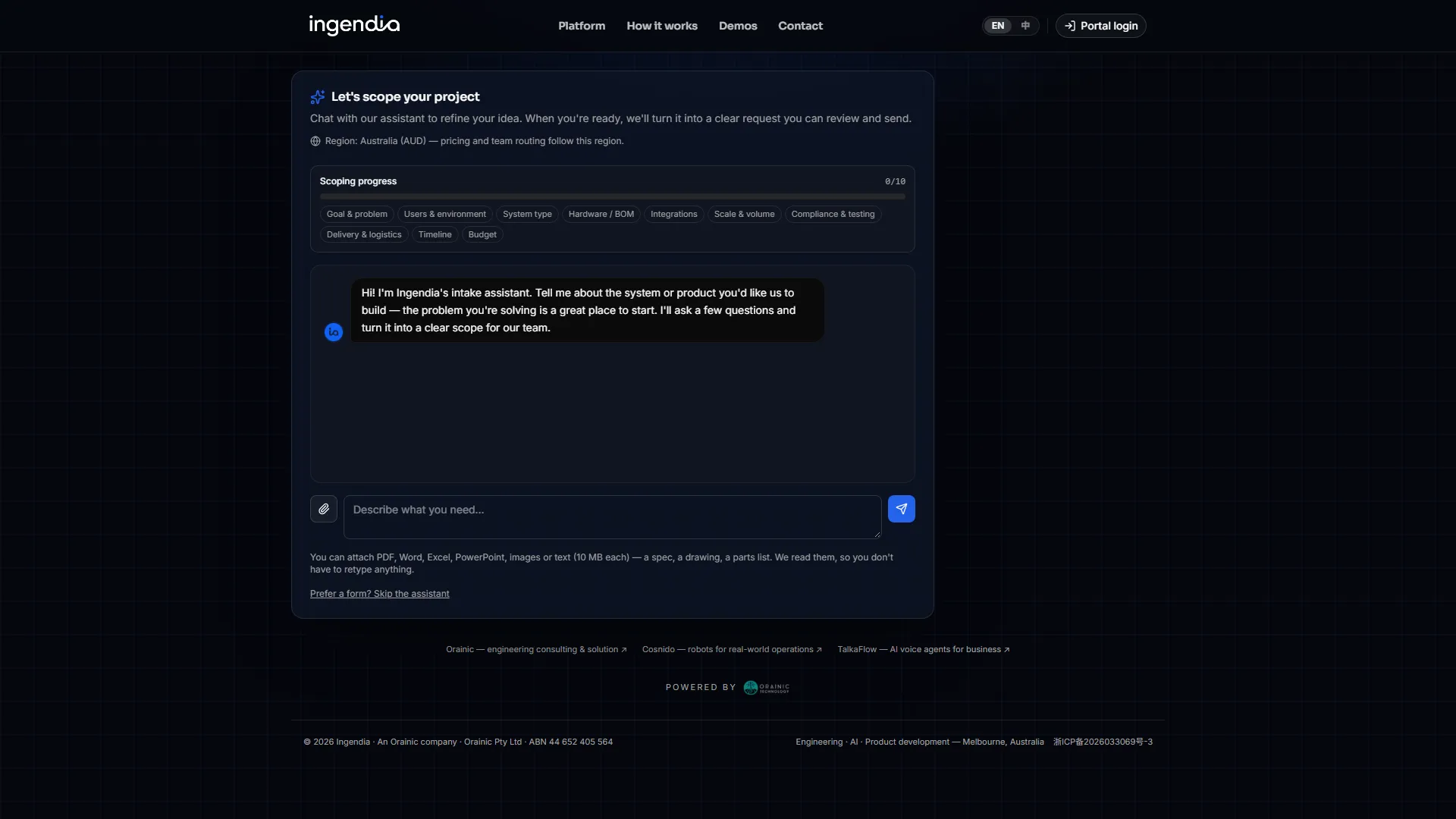
    Describe the project — in plain words

    Your client (or your sales team) types, talks or uploads drawings on a public request page. Scans, stamped copies and phone photos are read too. The assistant tracks ten scoping topics as they get answered — goal, users, hardware, integrations, compliance, timeline, budget — and returns scope, timeframe and a budget range with the breakdown behind it.

    Describe the project — in plain words
  2. Client Q&A

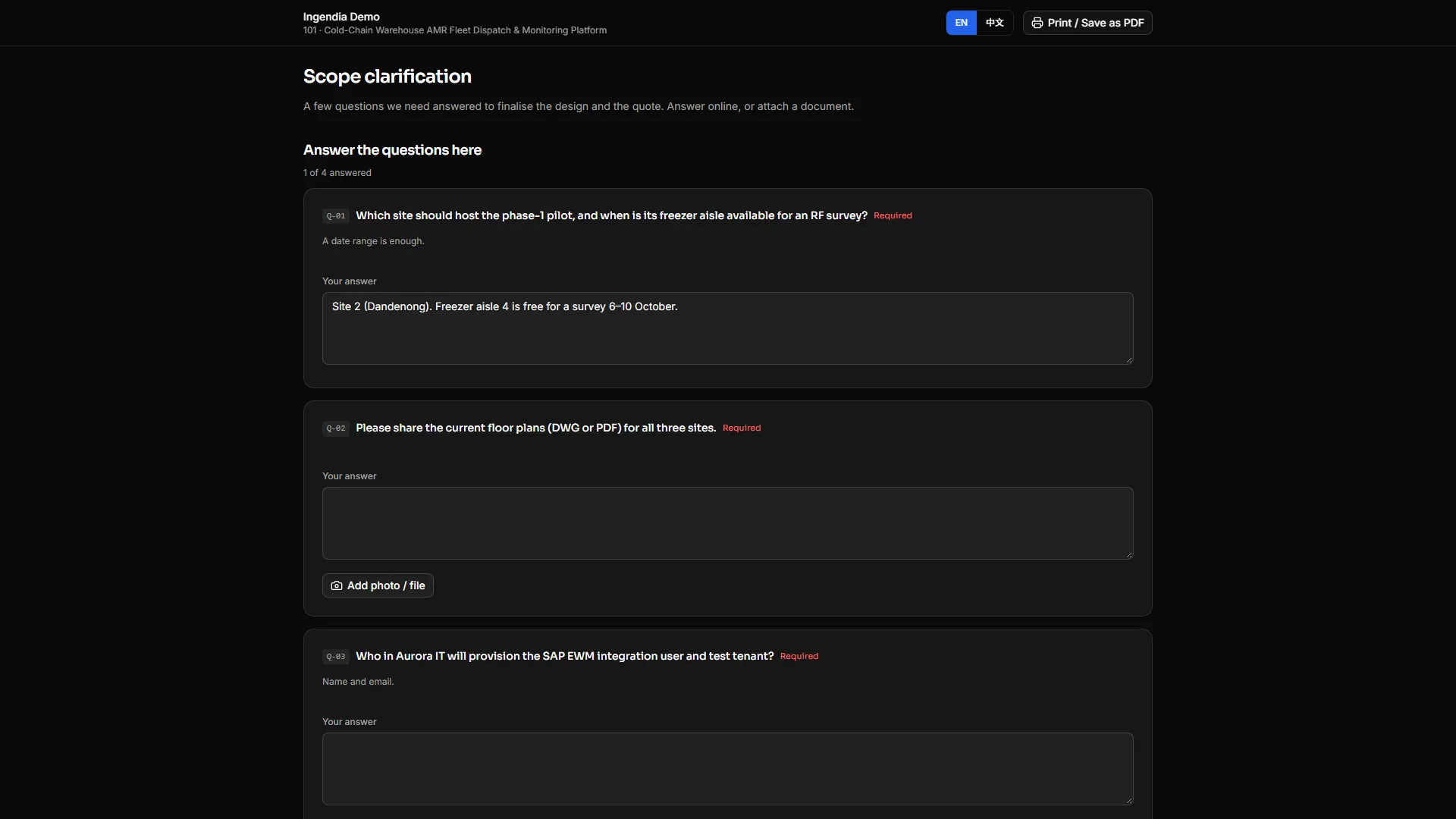
    Ask the client once, on one link

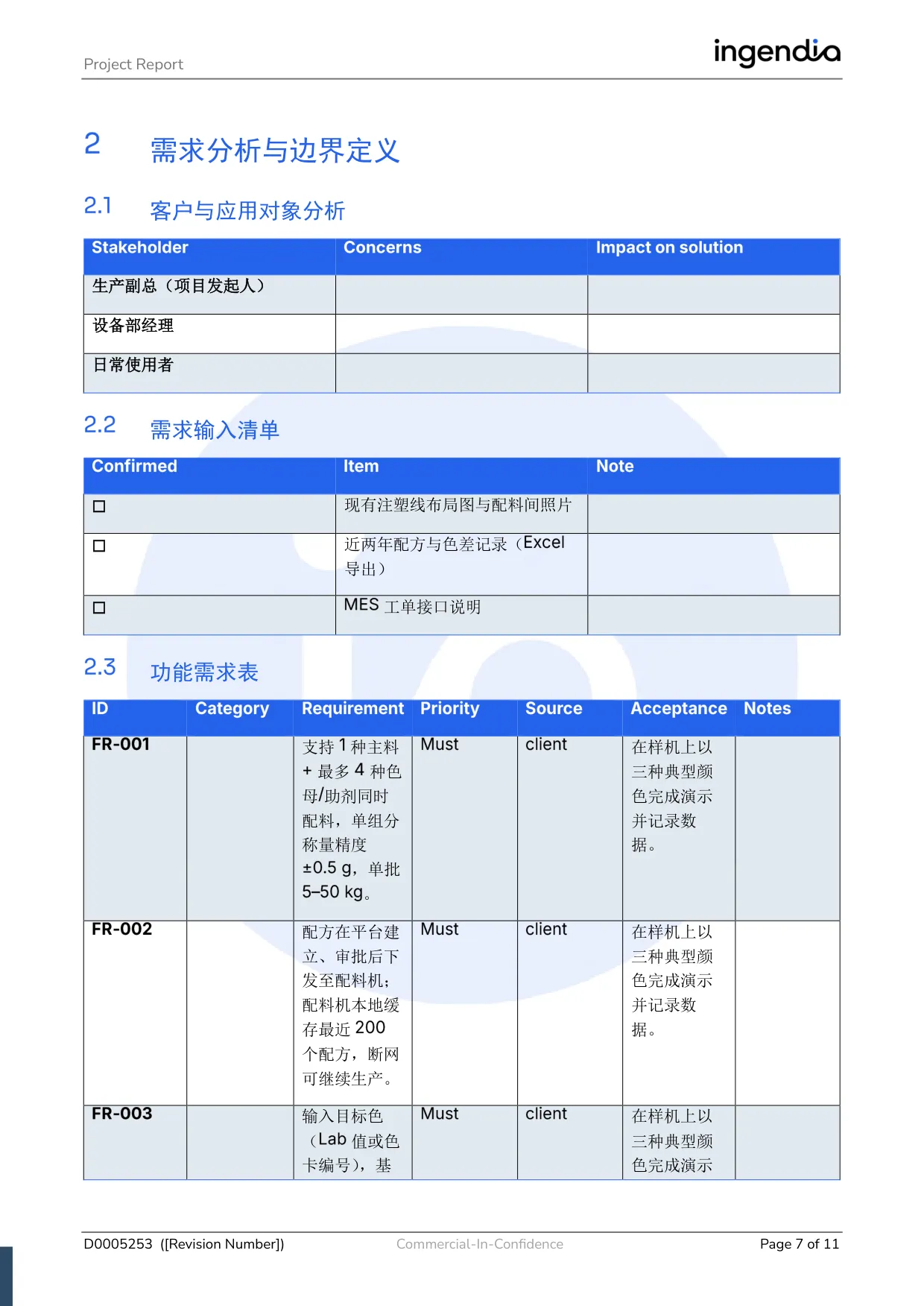
    The questions only the client can answer — a nameplate photo, a yes or no on a scope boundary — go out as one unguessable link. They answer on a phone with no account, attach photos to the question they belong to, and you are emailed. An accepted answer flows straight into §2, and questions a document already asks can be imported from it.

    Ask the client once, on one link
  3. Requirements §2

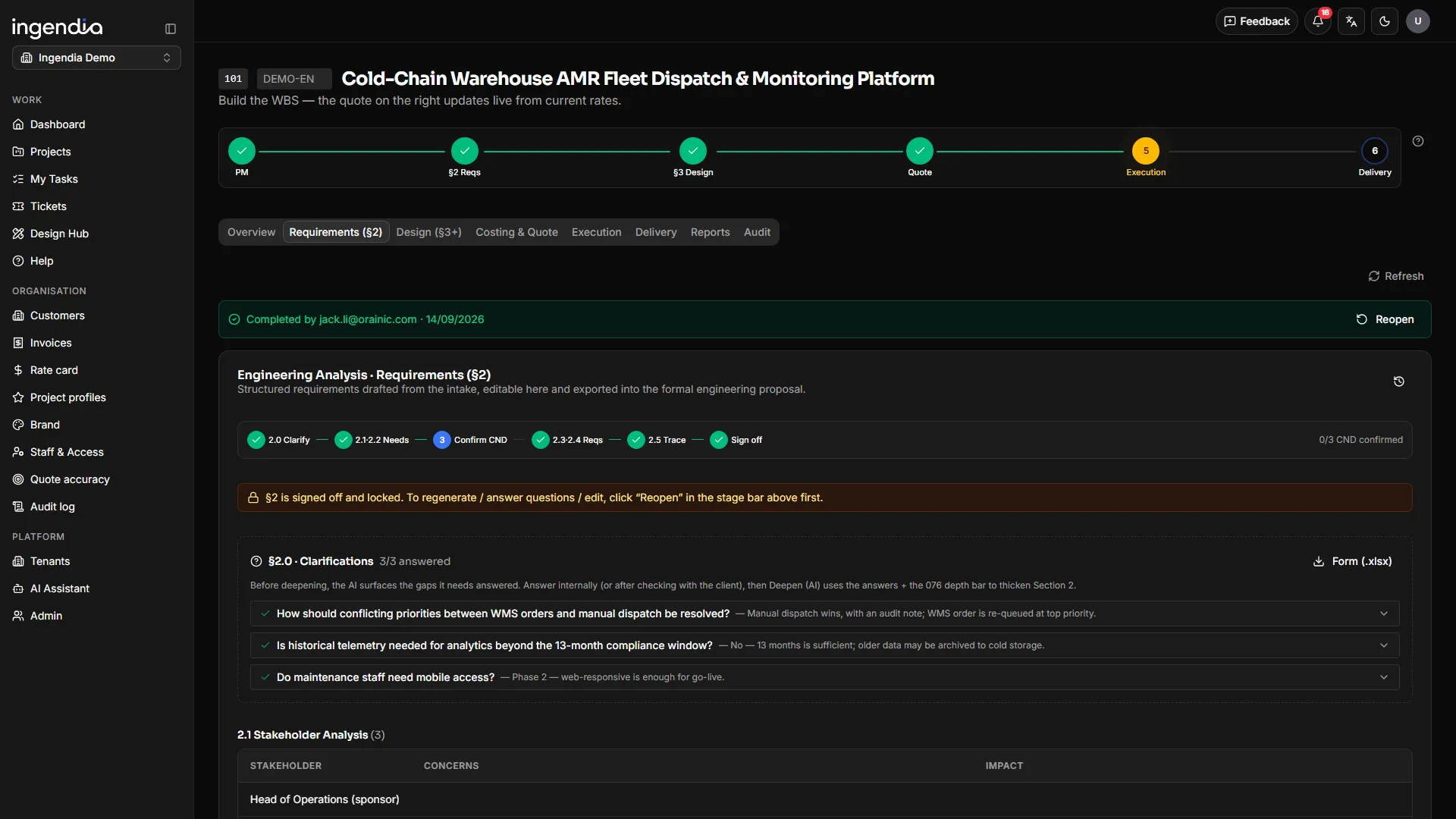
    AI drafts the requirements analysis

    The brief and the answers become confirmed customer needs, and those derive numbered functional and non-functional requirements, each linked back to the need it serves. Every AI revision arrives as a diff you accept or reject line by line — and each review reads only its direct upstream, so nothing drifts back to a superseded brief.

    AI drafts the requirements analysis
  4. Design §3

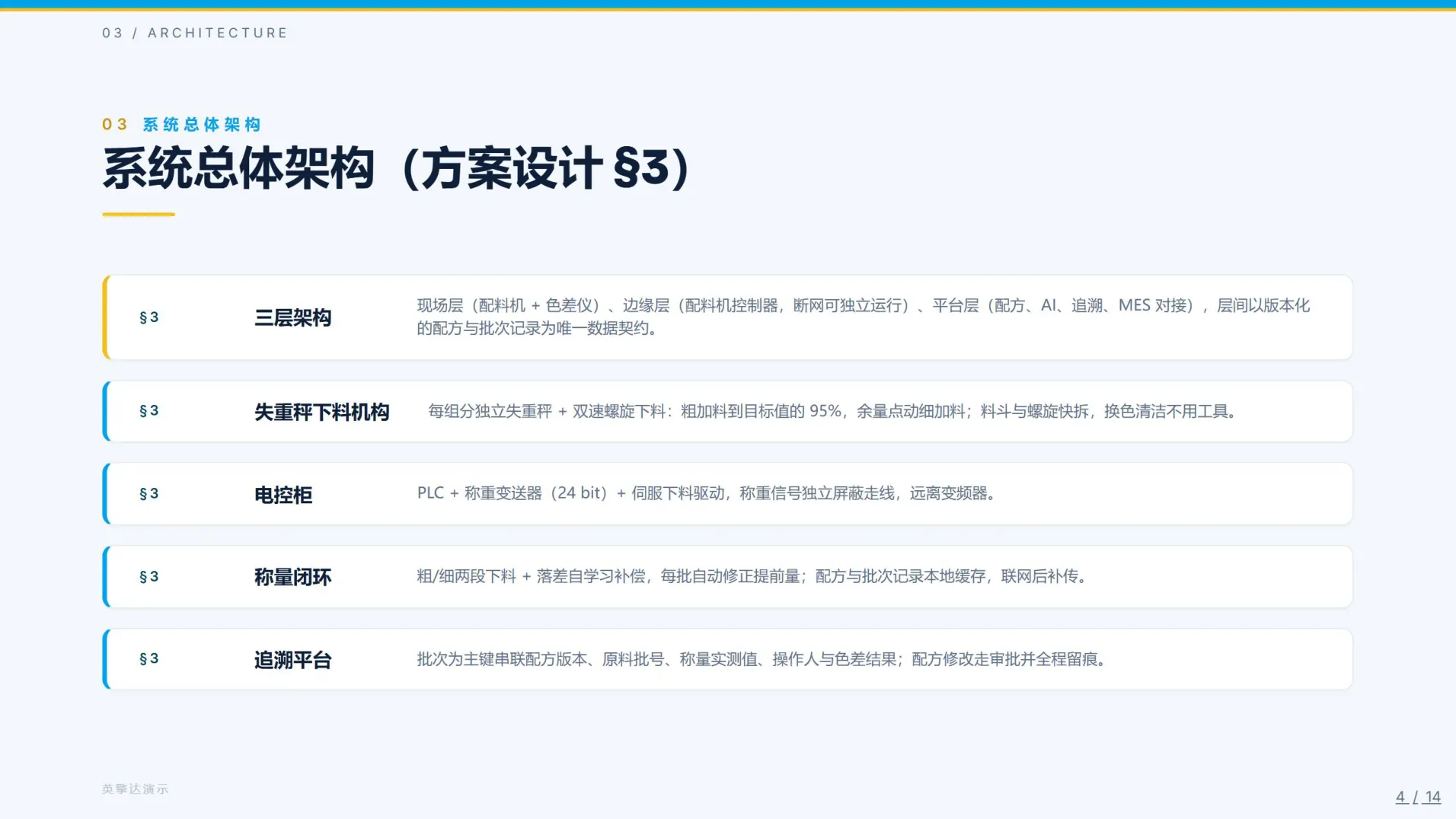
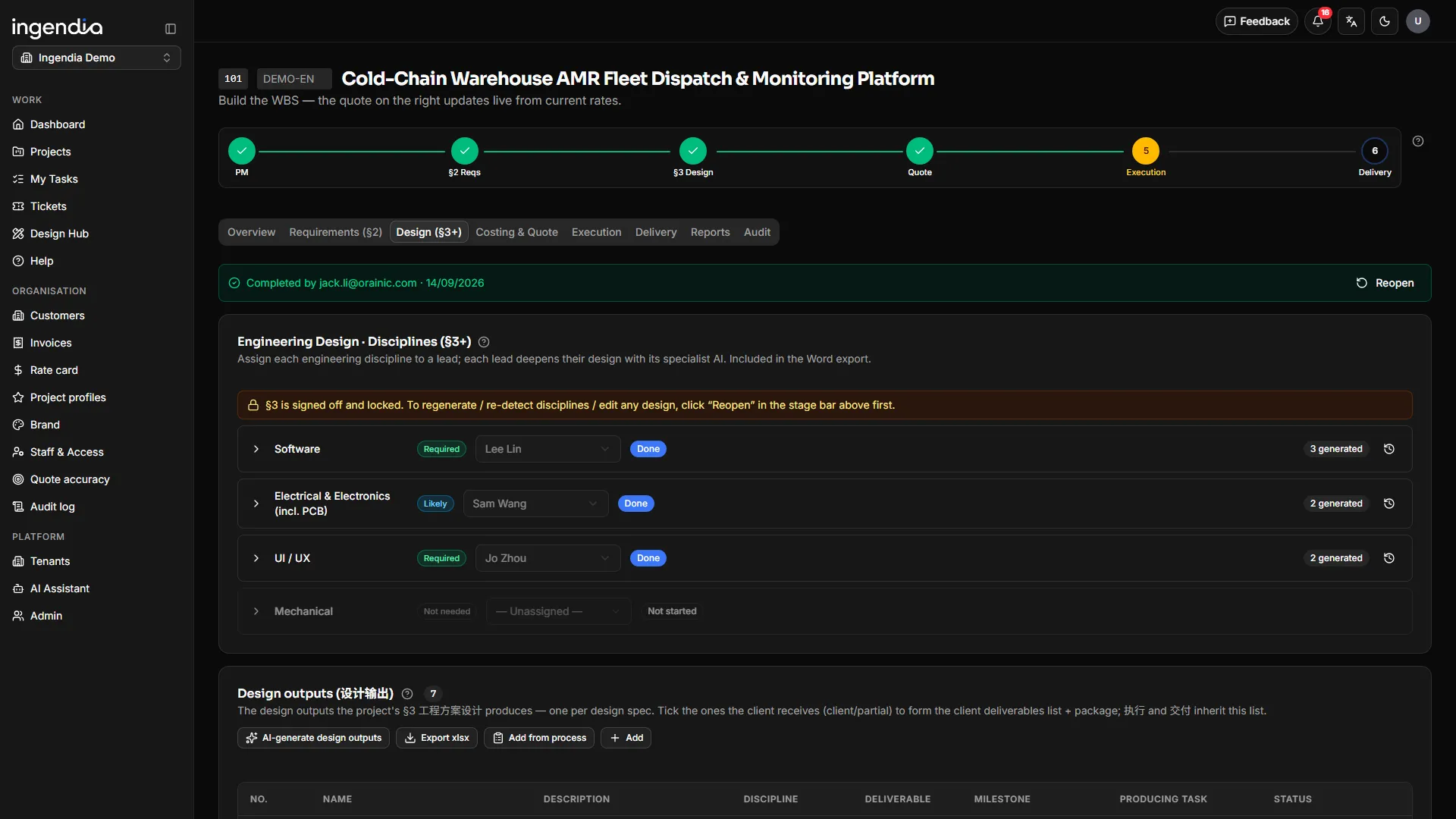
    An engineering design per discipline

    Nine design disciplines — systems, industrial design, mechanical, test facility, electrical & electronics (PCB included), firmware, software, AI/data and integration. Ingendia detects the ones this project needs and drafts each, grounded in your own approved past work, ready for the discipline lead to refine and approve.

    An engineering design per discipline
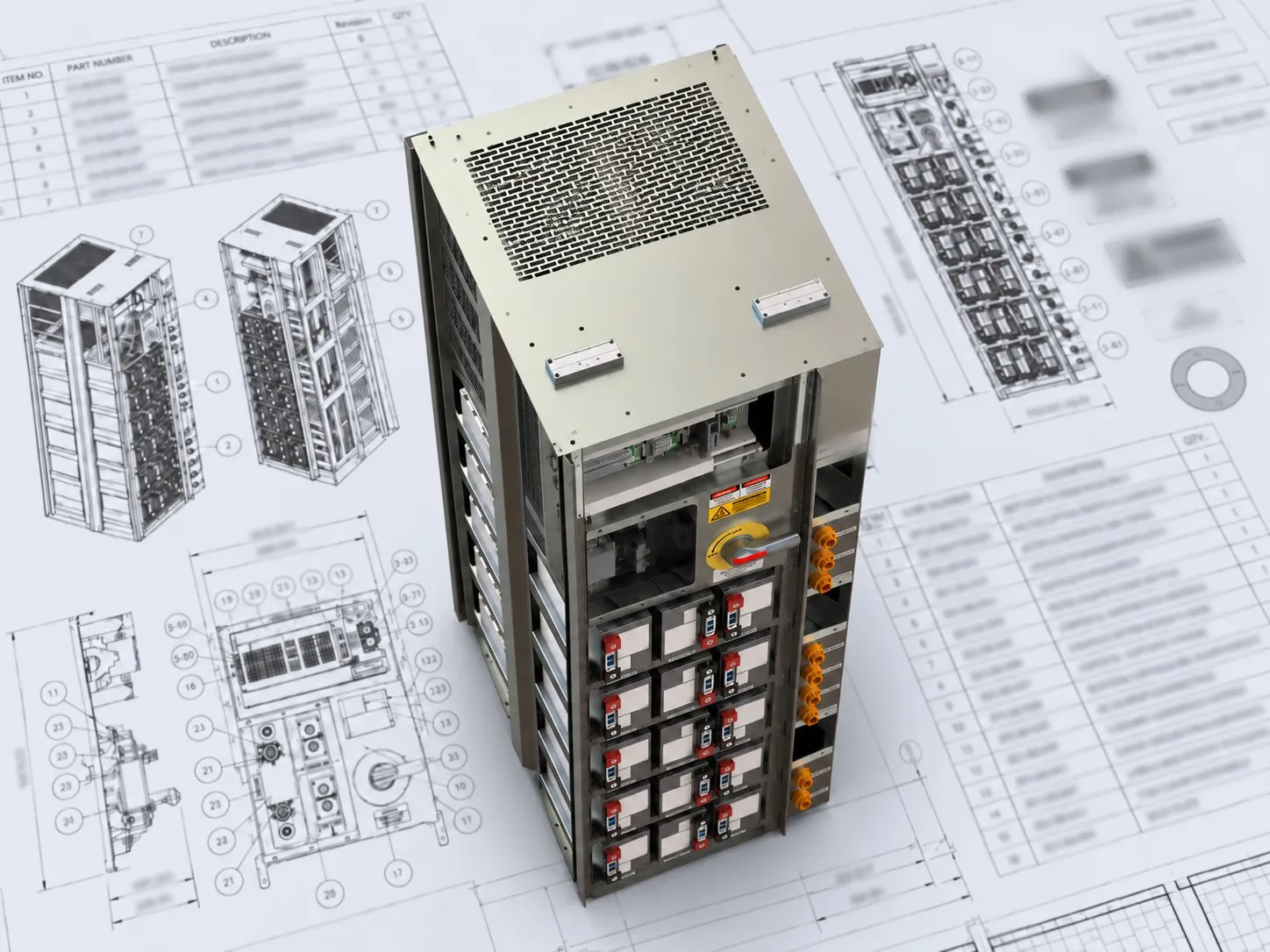
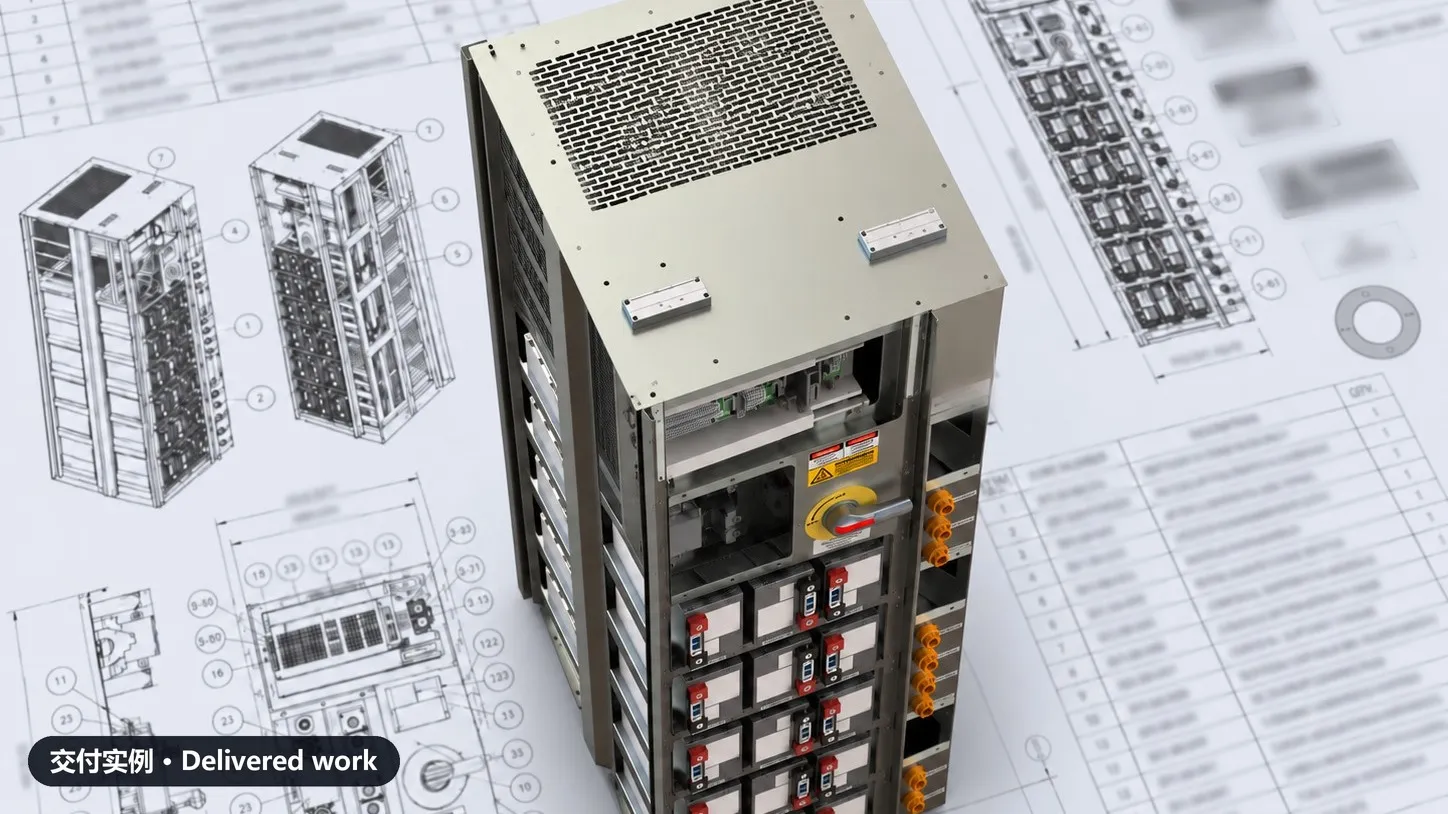
    Where a design ends up: the 2D drawings and 3D model of a battery cabinet our engineering team delivered. Client branding removed.
    Delivered work ·Where a design ends up: the 2D drawings and 3D model of a battery cabinet our engineering team delivered. Client branding removed.
  5. Quote

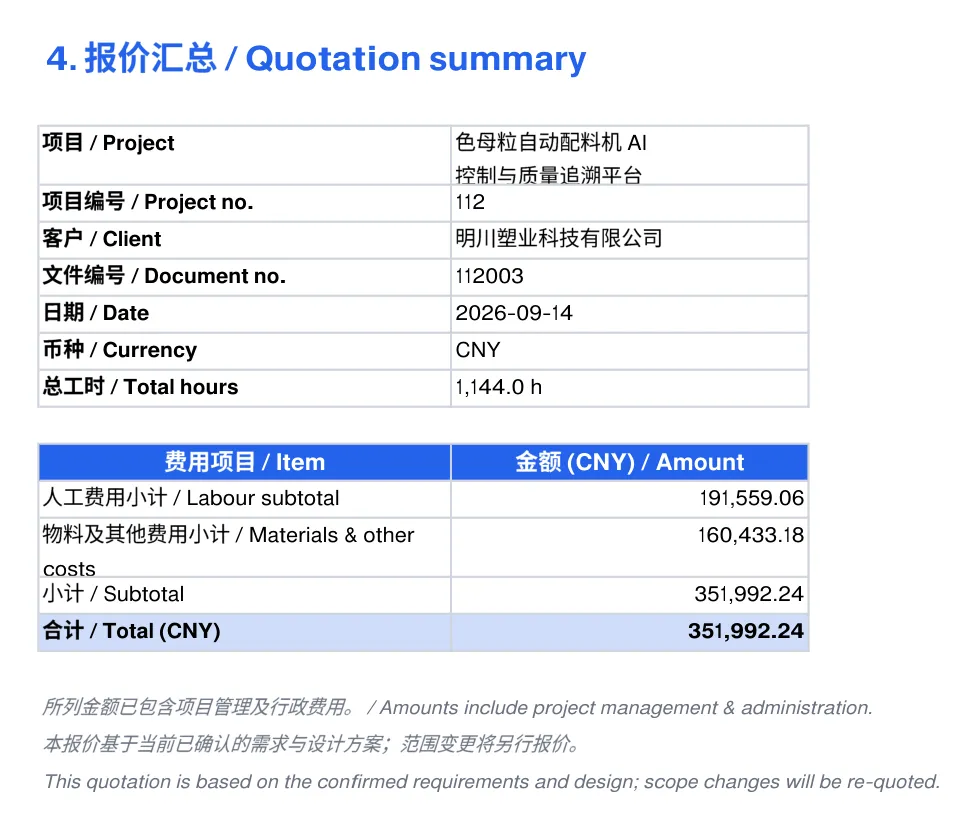
    A costed quote that stands on the analysis

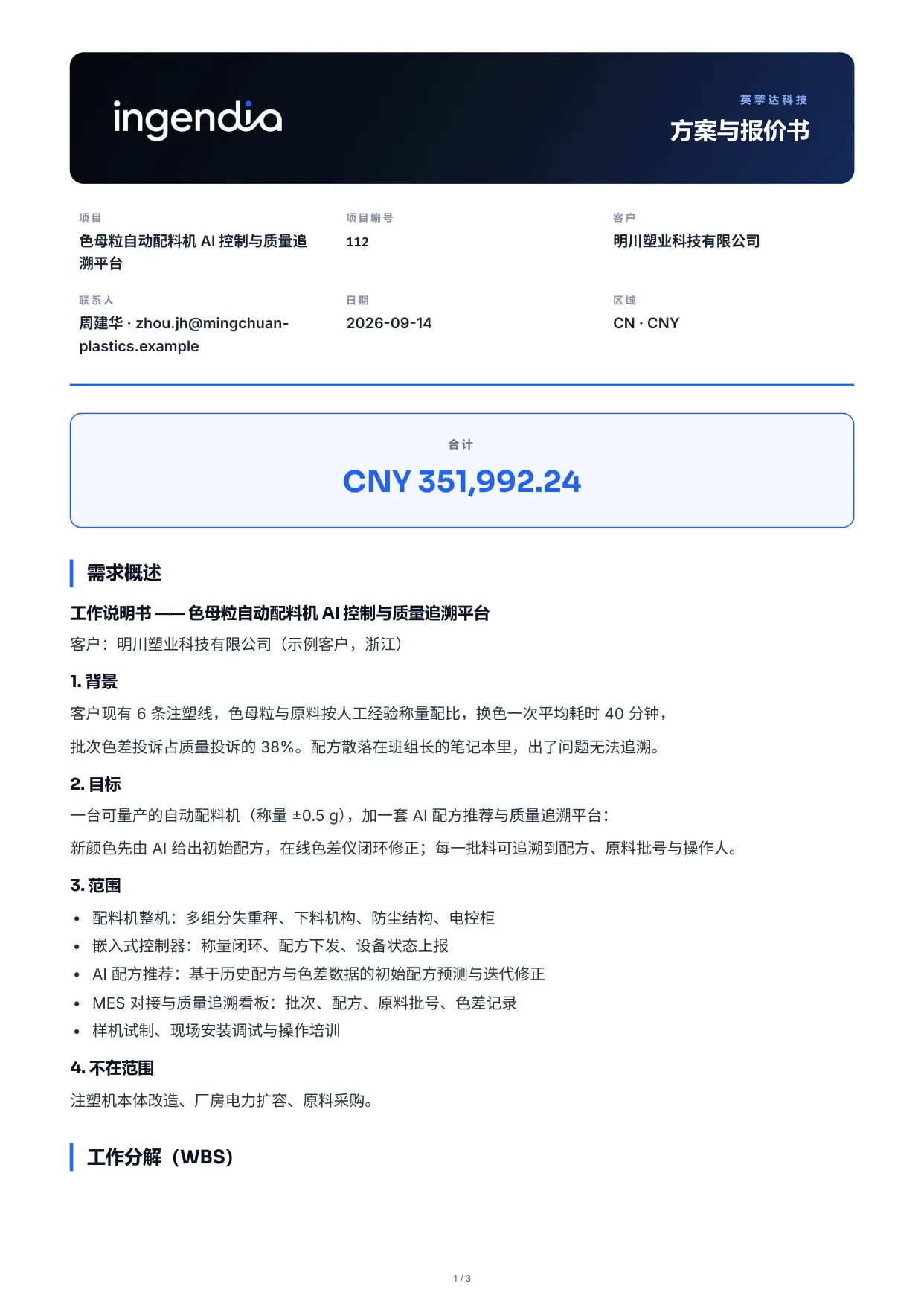
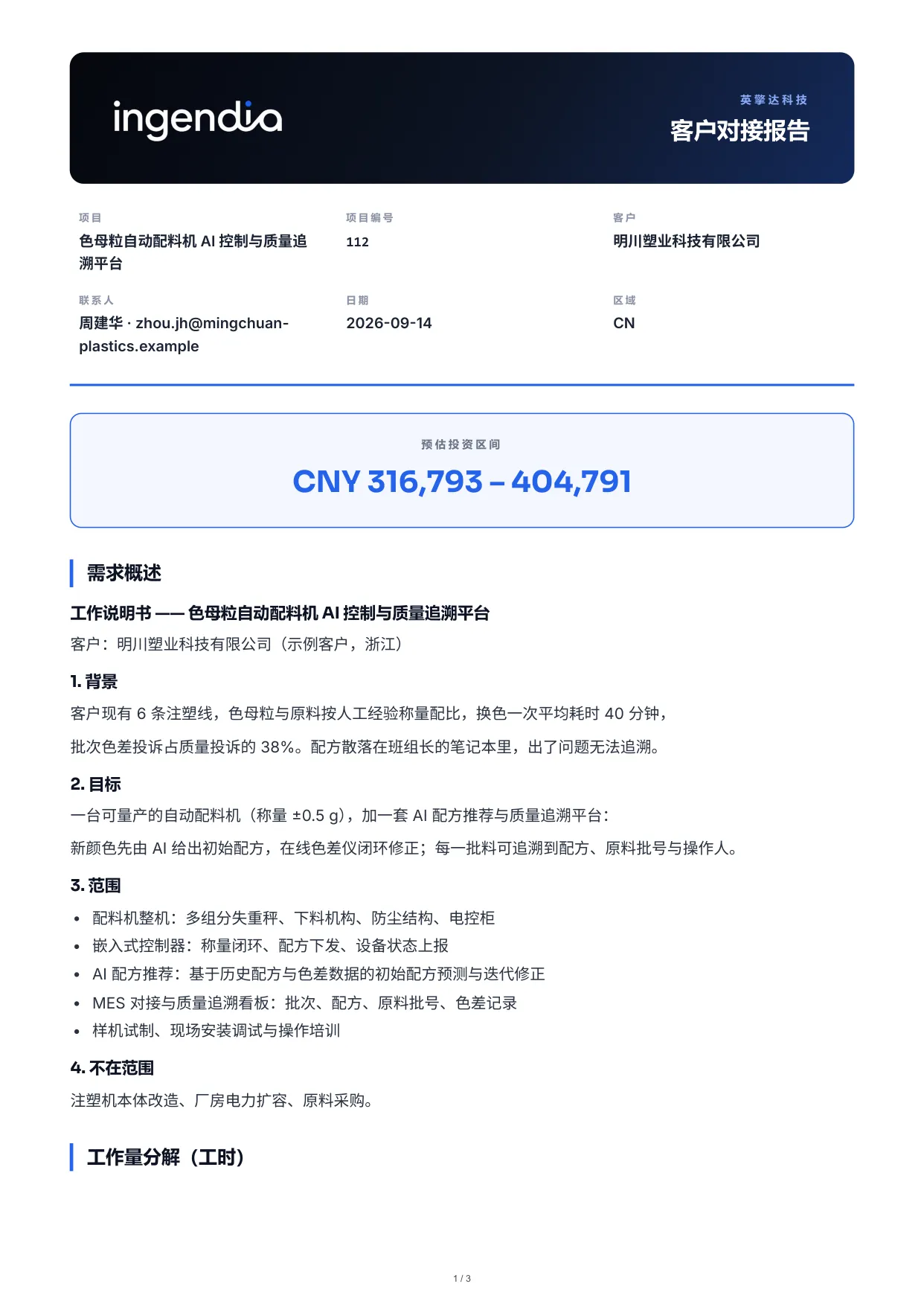
    The work breakdown prices itself from your rate card and BOM — in the client’s currency, with the AI share of each task shown explicitly, and travel, testing, site, training and IP costed on their own lines. Freeze it into a versioned quotation, then export the proposal PDF, the §2+§3 engineering report and the priced workbook, each built for the audience allowed to see it.

    A costed quote that stands on the analysis

Deliver the work

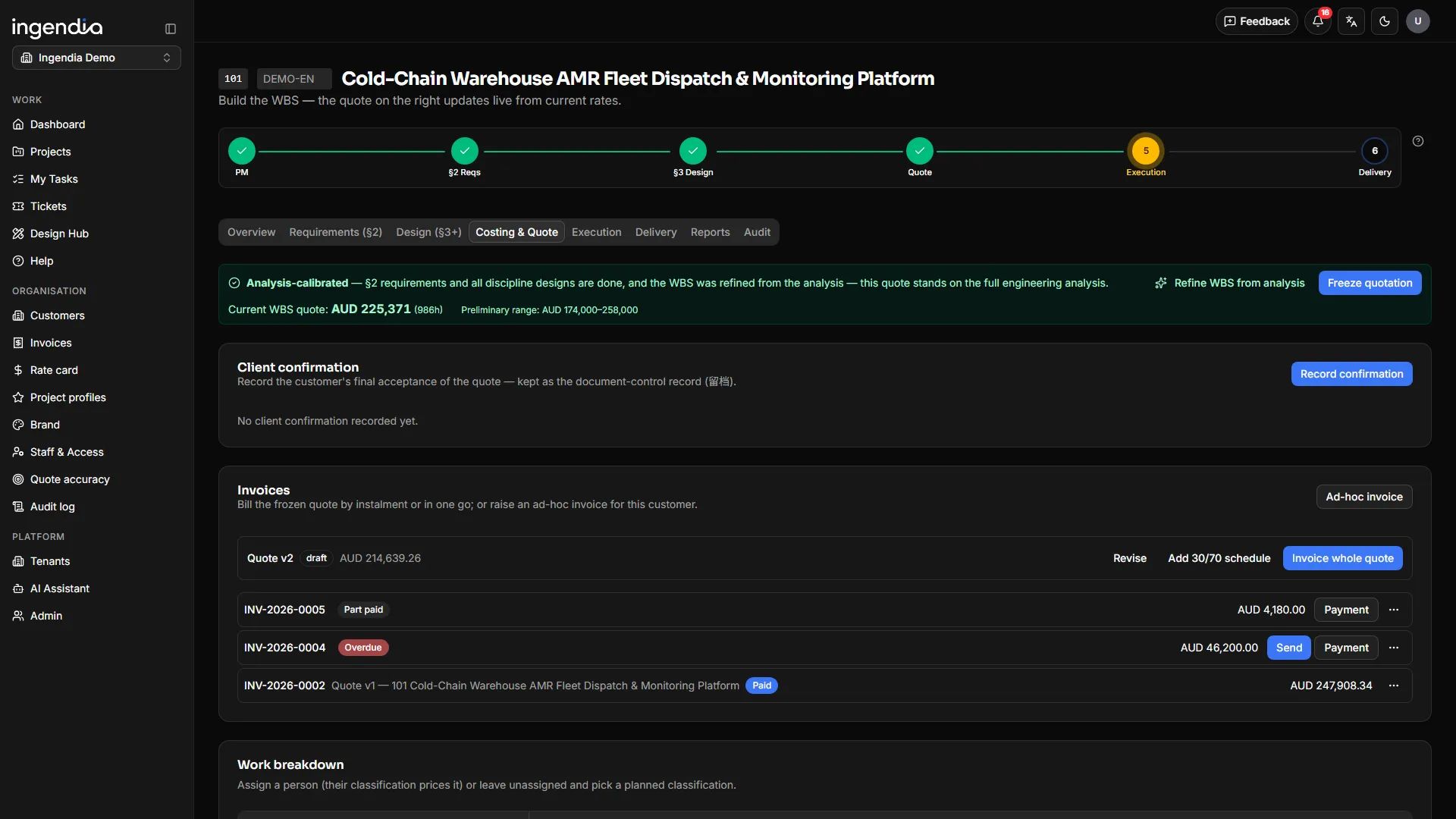
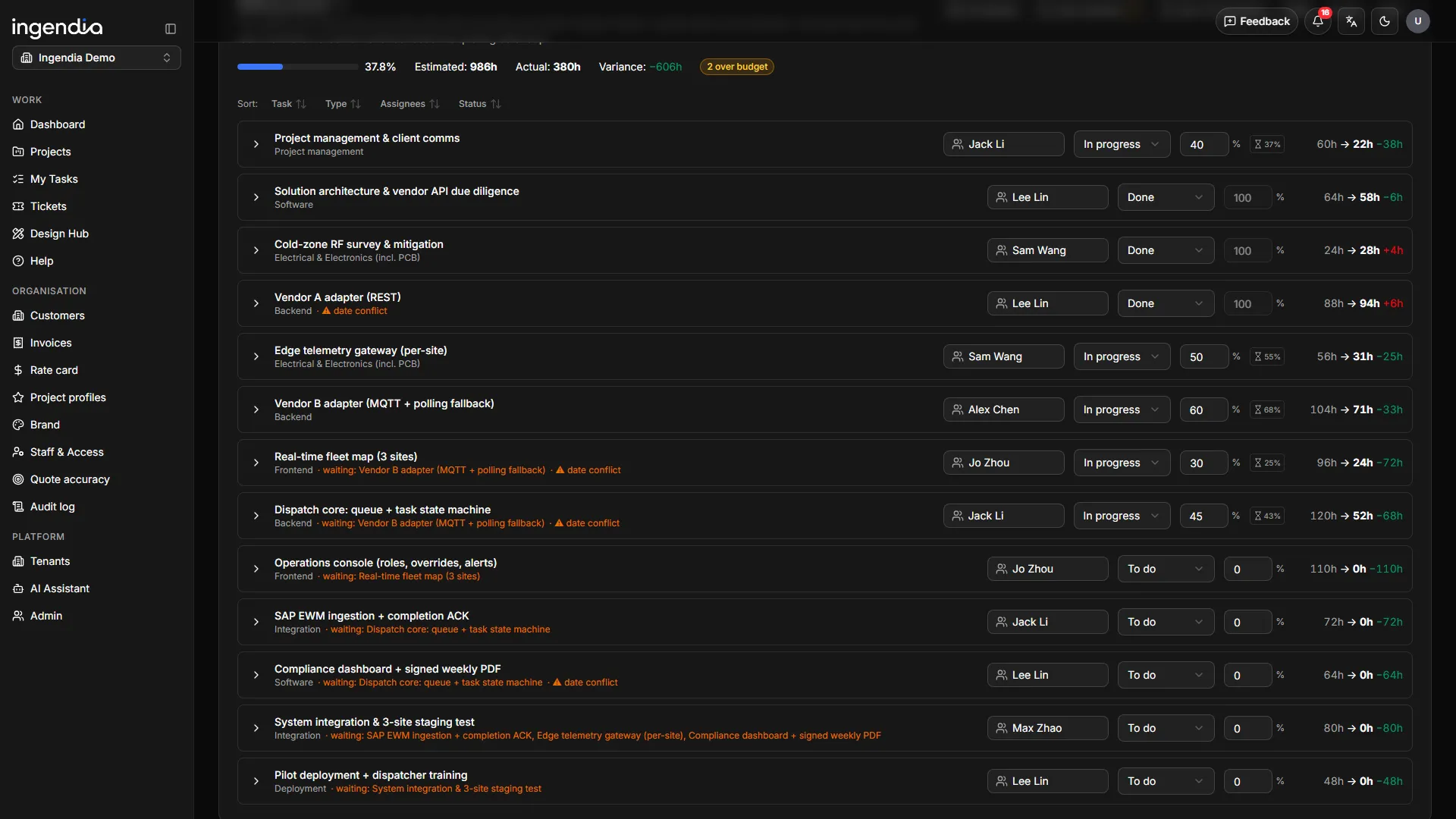
Delivery on a board, measured against the promise

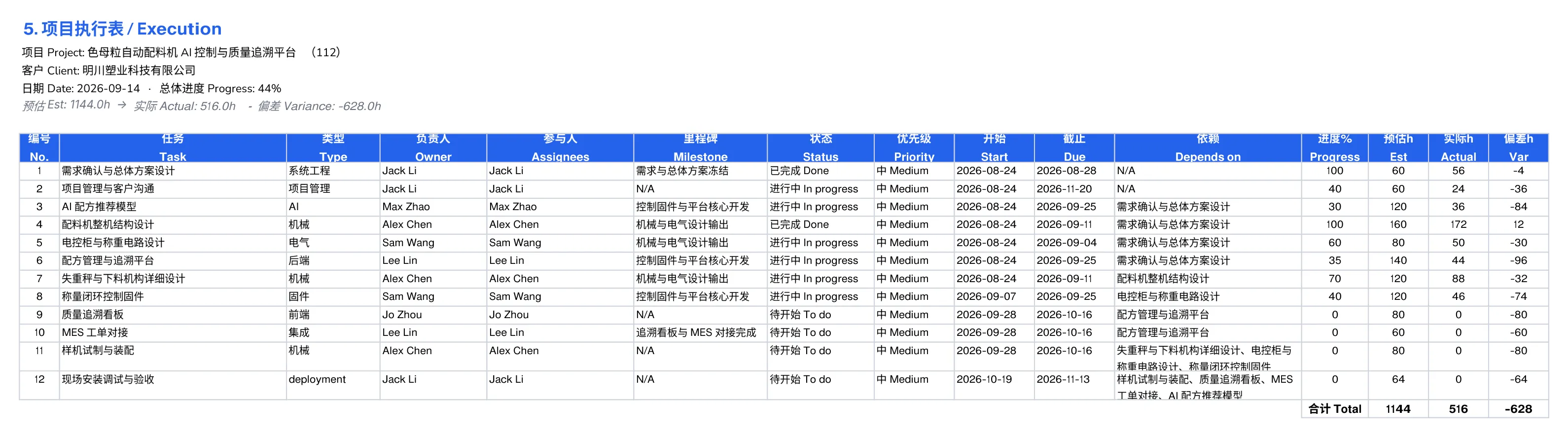
The frozen quote becomes the baseline delivery is held to — milestone by milestone, hour by hour — and every design output has a name against it.

The delivery board — milestones, Gantt and quoted-versus-actual variance

Tracked against the frozen quote

Milestones, a draggable Gantt and hour-level variance against what was quoted — so a slip shows up this week, not at the final invoice.

Every design output has an owner

The deliverables list is generated from the §3 design and hung on tasks and milestones; the engineer on the task attaches the real file.

One-click delivery pack, reviewed first

Everything due is packed into one ZIP — and every file the system generated has to be looked at and confirmed by a person before it goes in.

A weekly snapshot, kept automatically

Each project’s task and milestone state is stored every week, so progress has a recorded past to compare against — a history that cannot be back-filled later.

AI-augmented delivery

Quote the AI in, not around it

Every task carries an AI share beside the human hours, so the quote shows the AI margin honestly instead of hiding it.

Human + AI, per task

Each task splits into a human residual and an AI-automated share, tuned per discipline.

Shared savings — your call

Pass part of the saving to the client as a visible discount, or keep the bill unchanged. One switch, off by default.

Calibrated by real delivery

The automation share is not a guess: it is re-tuned per discipline from what delivery actually took.

Design Hub

AI drafts. Engineers sign.

Seven drafting tools turn a tender, a client’s sketch or the design you already delivered into real documents. Every one of them lands as a draft in the controlled register — it counts only once someone else has reviewed it and someone with authority has released it.

  1. Pick the material
  2. AI drafts
  3. Filed as a draft
  4. Someone else reviews
  5. Approved & released
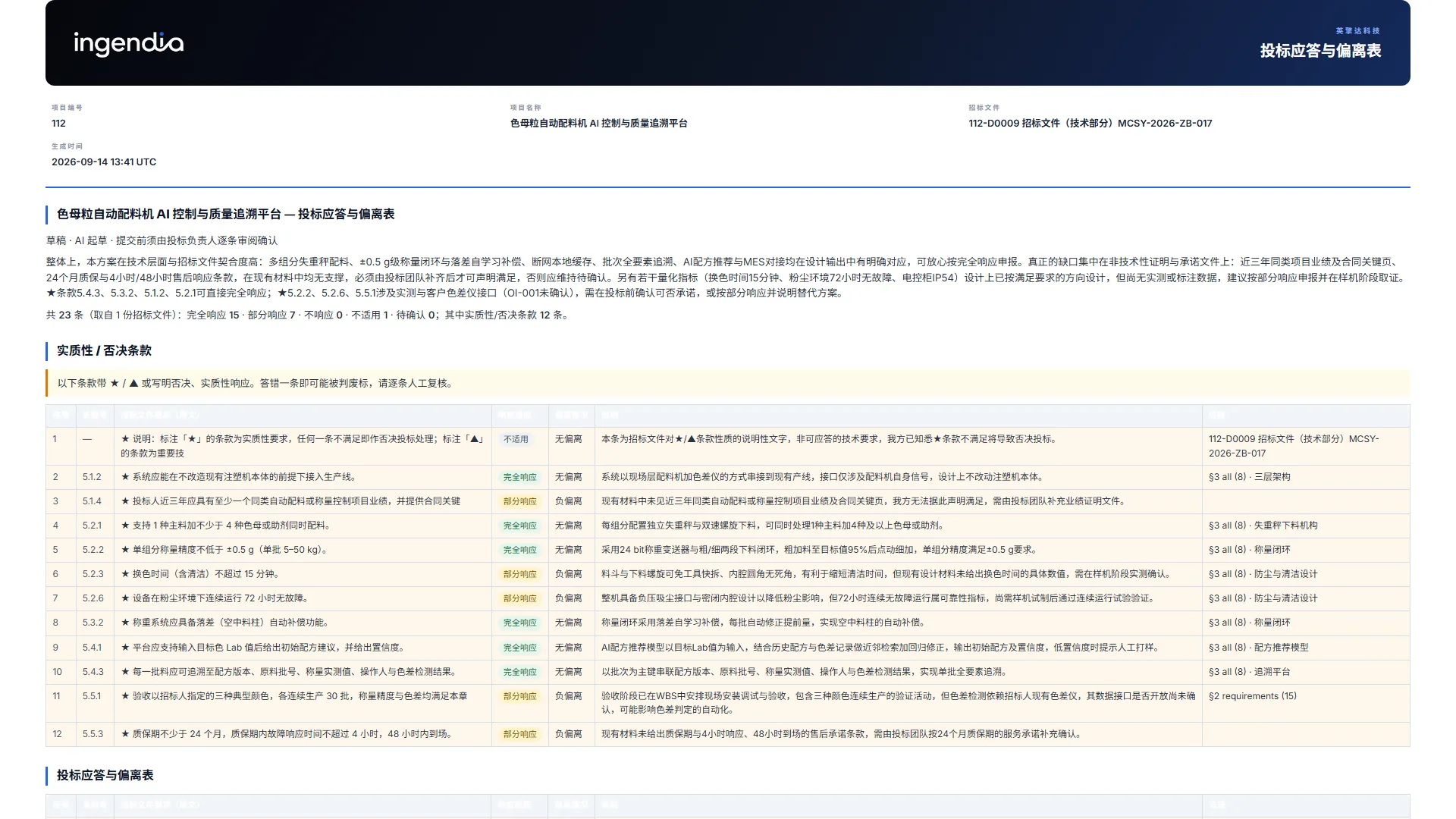
Tender compliance matrix

Tender compliance matrix

Beta

Upload the tender and its clauses are split out verbatim, with their printed numbering. The AI answers each with a compliance level, the deviation and its evidence; disqualifying ★ / ▲ clauses are flagged mechanically. A clause it cannot support stays “to confirm” — never a promise made on your behalf.

Tender PDF · scans OCR’d → Compliance matrix
Concept 3D

Concept 3D

Beta

A client’s sketch or photo becomes a rotatable massing model in one offline file. A block with no dimension source is not built.

Sketch / photo → Rotatable 3D model

Patent disclosure

Patent disclosure

Beta

A Word disclosure in the house format; patent numbers and URLs stripped from the background, applicant and inventor left for a person.

Design + material → Disclosure .docx

Diagrams

Diagrams

Beta

Architecture, workflow, sequence and state diagrams, rendered on the server to a self-contained SVG. A figure of disconnected boxes is sent back to be redrawn.

Description / design → Controlled SVG figure

Deck Studio

Deck Studio

Beta

The AI drafts the report narrative for the occasion; six fact slides — requirements, acceptance, schedule, roadmap, risks, past work — come straight from the record.

§2 / §3 / schedule → Project report deck

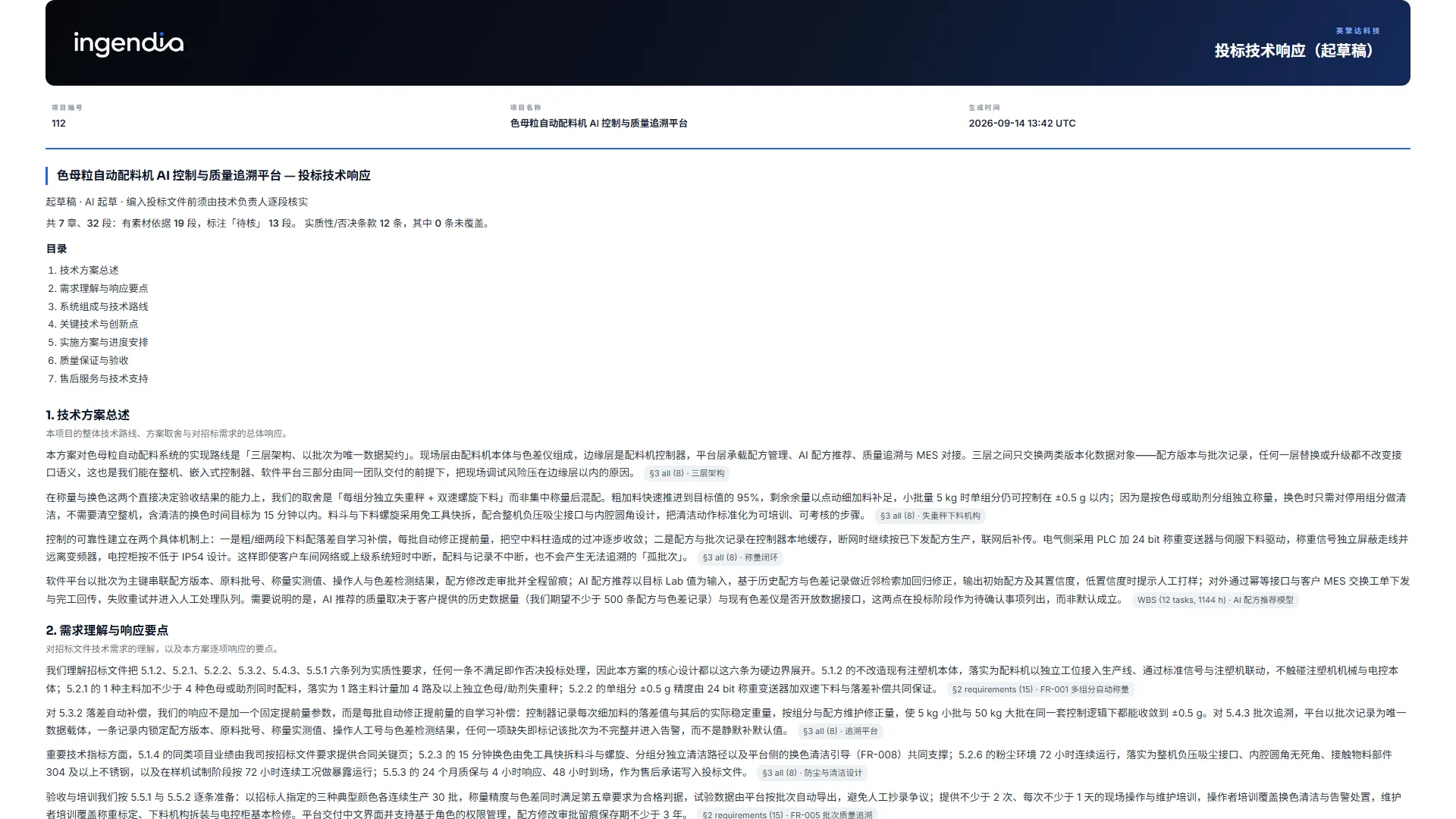
Tender technical response

Tender technical response

Beta

Seven fixed chapters drafted from this project’s own §3, each paragraph citing its source or marked “to verify”, plus a table of every clause no chapter covers.

Tender + this project’s §3 → Technical response draft

Client review pack

Client review pack

Beta

Drafted from §2: scope, findings, information gaps, design issues, blockers and the questions only the client can answer — published as one link they fill in.

§2 analysis → Review pack + answer link

Checklists & calculators

Checklists & calculators

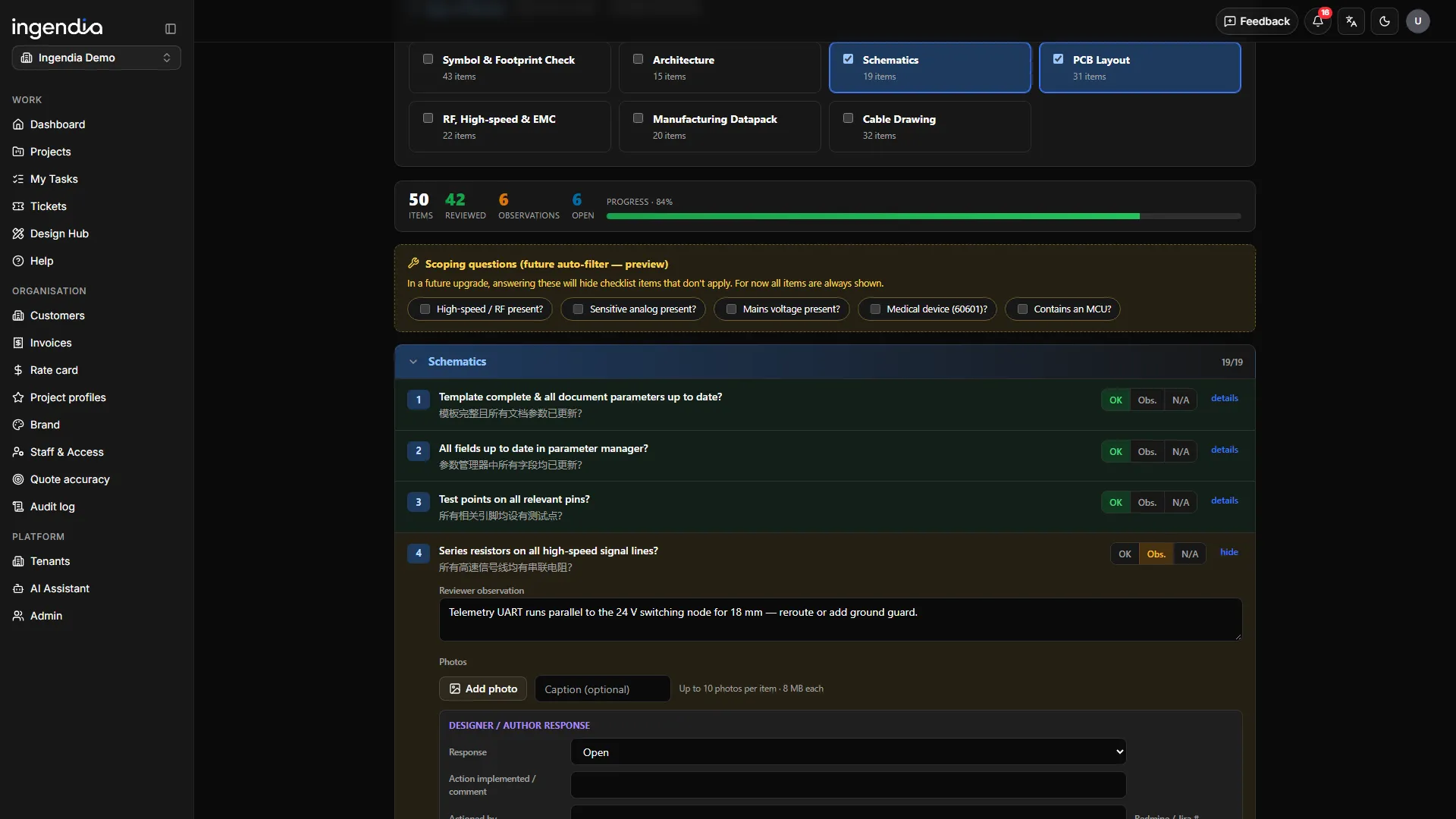
eTAR design reviews (symbols & footprints, schematics, PCB, RF/EMC, manufacturability, cables), the NPD deliverables list, file templates and cable sizing to AS/NZS 3008.1.1.

Your design → Review record

The drafting tools are in beta. Each can run on its own AI engine, and all of them read PDF, Word, Excel, PowerPoint and scanned copies.

Stand behind it · Document control

One number per document. Three signatures before it leaves.

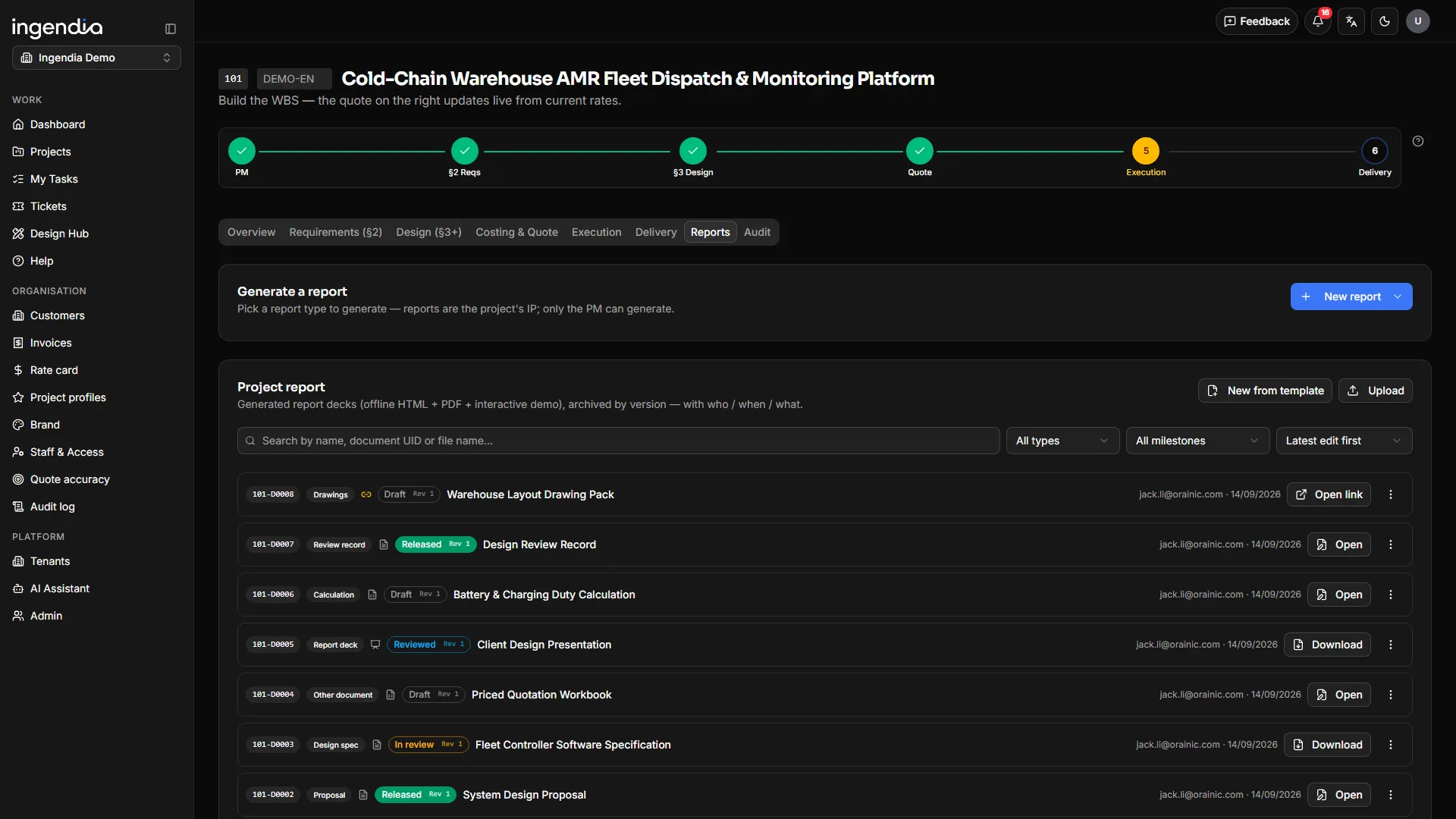
Every project document — and every company procedure — lives in one register under its own permanent number. Content changes, the number does not. Nothing reaches a client until someone other than the author has reviewed it and someone with the authority has released it.

The project document register — document numbers, types, control states and versions

Three people, written into the released file

Prepared

the author of this version

Reviewed

anyone but the author

Approved

authority to release, and neither of the other two

The number comes first

Start from a branded template and the document is numbered before a word is written — cover, number and client already filled in. Edit, then upload the next version under the same number: the reference in last week’s email still resolves.

Prepared ≠ reviewed ≠ approved

You cannot review your own document, you cannot approve what you reviewed, and the file cannot change while it sits under approval. Every refusal says which rule stopped you.

A release freezes the revision

Approval writes the three sign-off names into the file itself and freezes that revision. Uploading again starts the next revision as a draft — the released copy stays exactly what was signed.

Edit in real Office, in place

Open a Word, Excel or PowerPoint document in Office for the web and save it straight back as the next version. Colleagues without a Microsoft account get a link that works too.

Your own quality manual, policies and procedures use the same register, the same numbering and the same three signatures — so the QMS stops being a folder nobody opens.

Generated, not typed

Every formal document renders into your organisation’s own masters — title page and control sheet included — and a client edition never carries a figure the client is not meant to see.

Proposal
PDF

Proposal

Client brief — scope and a price range, no line costs
PDF

Client brief — scope and a price range, no line costs

Engineering report §2 + §3
Word

Engineering report §2 + §3

Execution workbook — milestones, tasks, Gantt
Excel

Execution workbook — milestones, tasks, Gantt

Priced workbook, per audience
Excel

Priced workbook, per audience

Project report deck
Deck

Project report deck

Customers & billing

The money after the quote lives here too

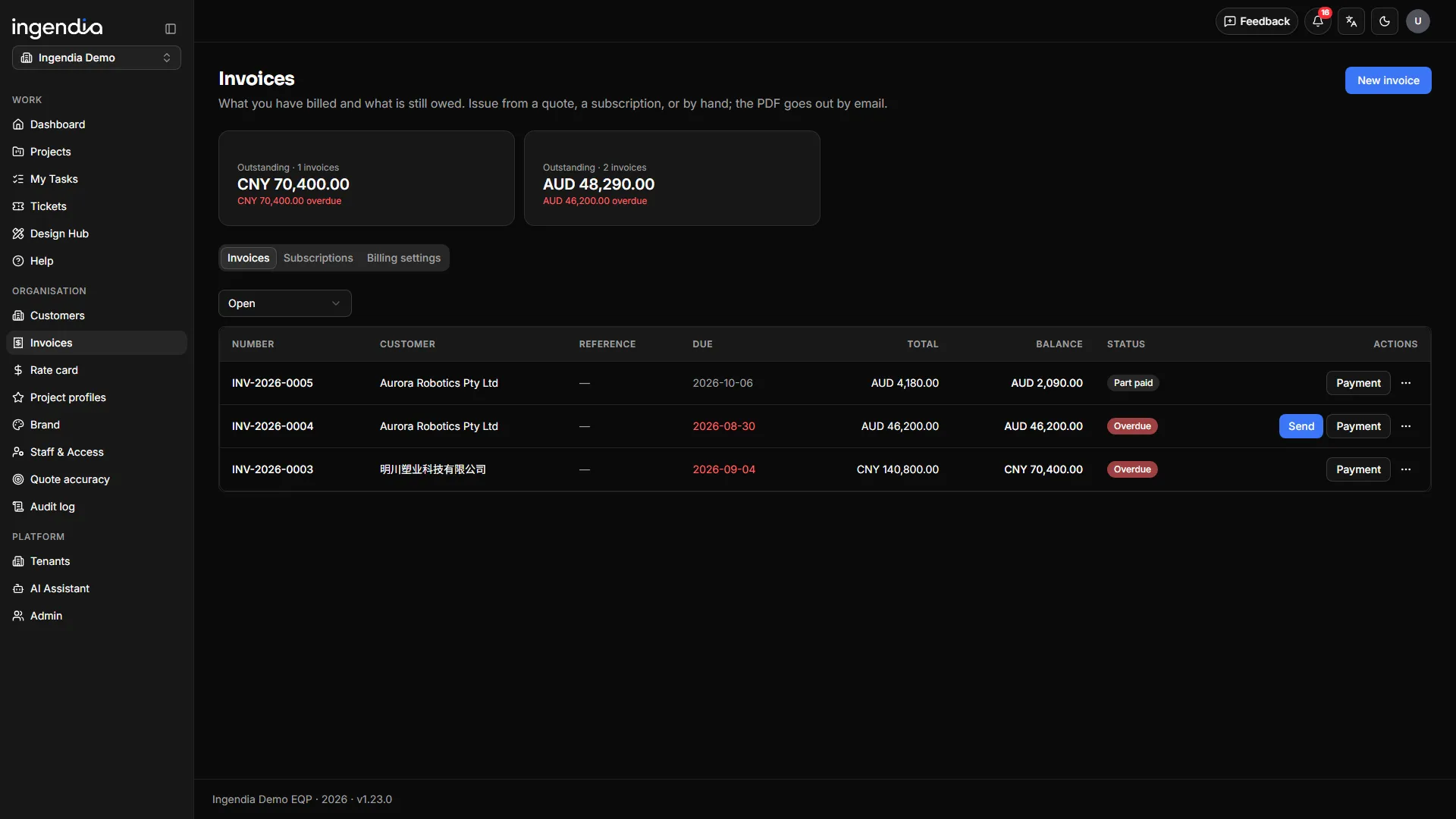
An invoice hangs off the customer, next to the quote it came from. Quote, purchase order, invoice, payment — one chain, on one record, instead of a second system whose only job is putting a number on a PDF.

  1. Draft
  2. Issued
  3. Sent
  4. Part-paid
  5. Paid

Payment arrives by bank transfer and is recorded by a person.

Invoices, from the quote they came from
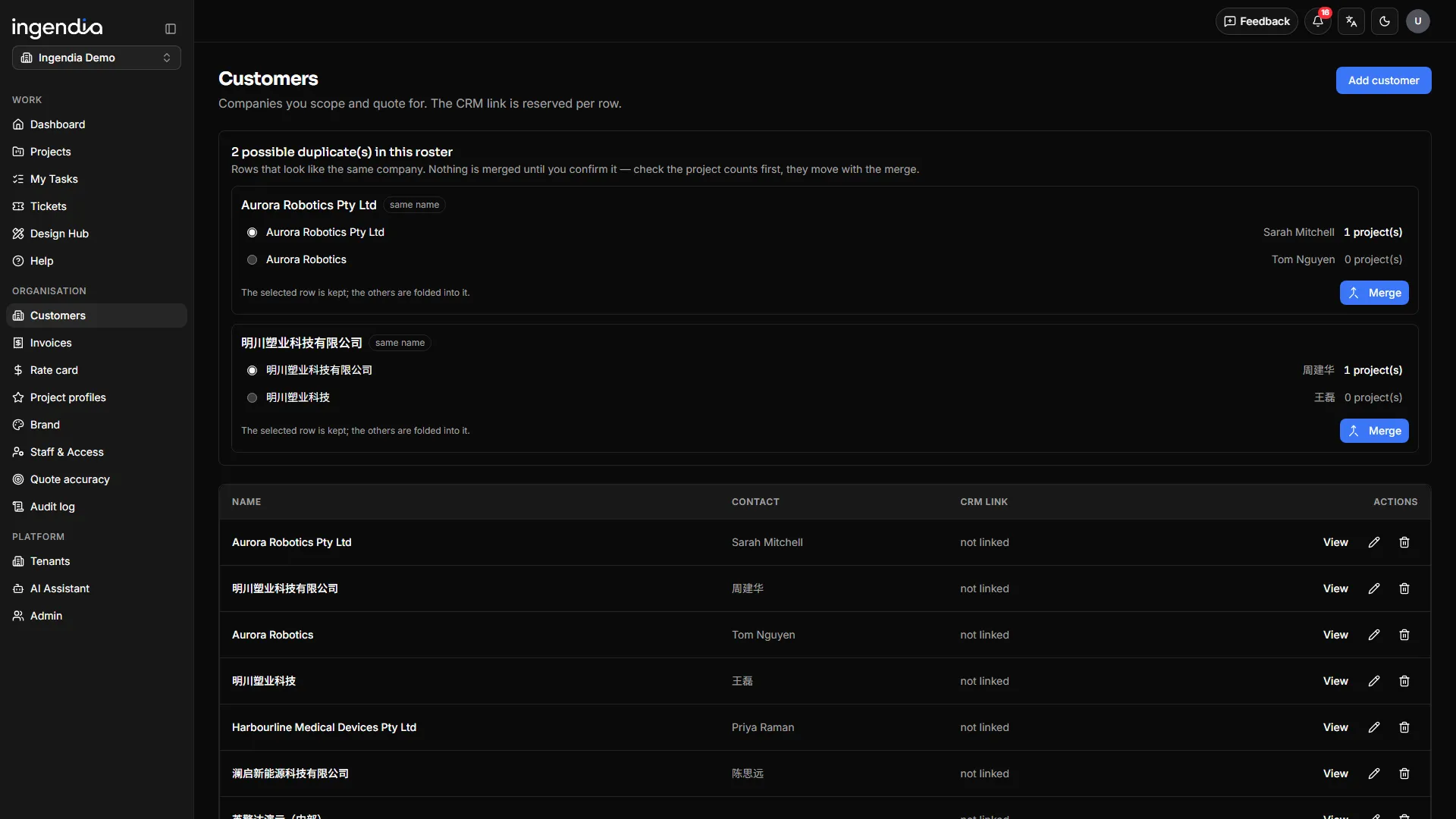
The customer roster

Invoices from the payment schedule

Each instalment on the quote becomes an invoice. A commercial revision — a discount, a dropped line, new terms — does not send §2 and §3 back for signature.

Issued means frozen

The number is allocated per organisation per year; the amounts, both parties and the bank account are captured at issue — edit the customer later and the client’s copy does not change.

You can see it arrive

The email is the invoice, with the PDF and an unguessable download link; the client’s first click is recorded.

Subscriptions that issue themselves

A customer, a line template and an interval. Each period is issued once and sent — a paused account does not wake up to six invoices.

A roster that finds its own duplicates

The same company typed two ways is proposed for merging and a person confirms it. A customer that still has projects cannot be deleted, and a project can be re-filed under the right one.

Currencies and accounts per organisation

One billing entity per organisation, with a default bank account per currency and its own tax ID, prefix and payment terms.

The data loop

Every delivery makes the next quote sharper

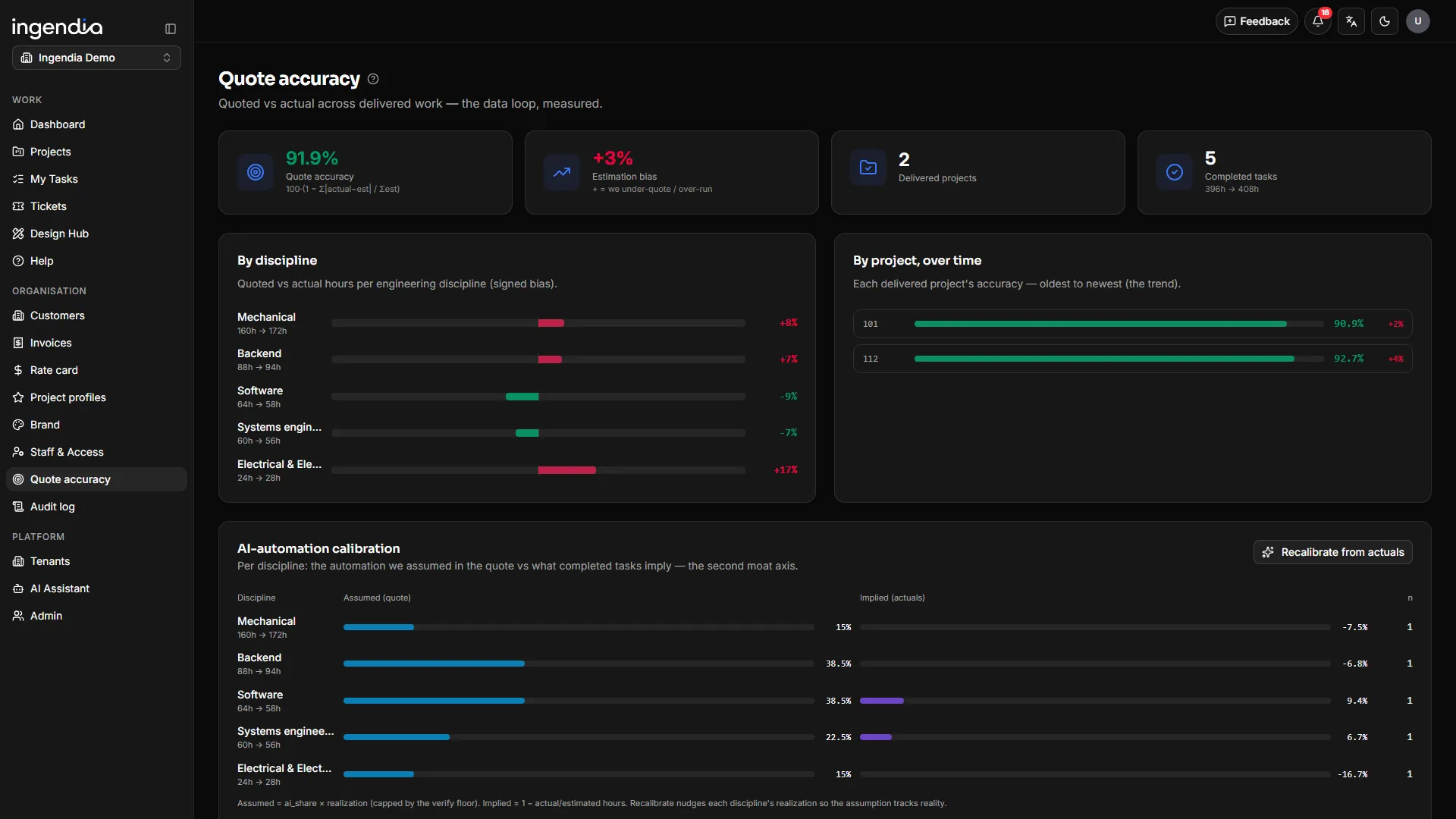
Most firms quote from gut feel and never look back. Ingendia closes the loop: what you quoted is compared with what delivery actually took — automatically, per discipline, per project.

The quote-accuracy dashboard

Quoted vs actual, always on

The accuracy dashboard tracks estimate variance across every delivered project — so you see exactly where quotes run hot or cold.

Calibration feeds the engine

Delivery actuals tune the per-discipline estimating model. The system learns your team’s real velocity, not an industry average.

Grounded in approved work

New designs retrieve from your library of signed-off past projects — every draft starts from what your engineers already approved.

Everything in it

Everything a project needs, in one place

Win the work, deliver it, stand behind it — the discipline of a quality system with the speed of AI. Items marked beta are live and still being refined.

01

Win the work

7

AI intake

Clients type, talk or upload drawings — scans and phone photos included. Ten scoping topics, then scope, timeframe and a budget range on the spot.

Client question packs

One unguessable link. The client answers on a phone with no account, attaches photos per question, and one click carries an answer into §2.

Traceable requirements

Customer needs derive numbered functional and non-functional requirements; AI revisions arrive as was / now, and upstream change flags what depends on it.

Nine design disciplines

Systems, industrial design, mechanical, test facility, electrical & electronics, firmware, software, AI/data and integration — drafted from approved past work.

Rate-card quoting

The work breakdown prices itself from rate card, grade and BOM; travel, testing, site, training and IP each get their own line on the quote.

Tender responses

Beta

Clause-by-clause compliance with disqualifying clauses flagged mechanically, and a technical response drawn from this project’s §3.

Quotes by audience

Client, reviewer and internal editions. Cost and margin exist only in the internal one — absent from the file, not a hidden column.

02

Deliver the work

7

Delivery board

Milestones, a draggable Gantt and hour-level variance, all measured against the frozen quote.

Human + AI, per task

Each task splits into human and AI shares, calibrated per discipline from actuals; passing the saving on is one switch.

Design outputs & delivery pack

Generated from §3, each item owned by a task and a person; one click packs the ZIP, generated files reviewed first.

eTAR design review

Symbols & footprints, schematics, PCB, RF/EMC, manufacturability and cable checklists — finding, notes and photos per item.

Report decks, generated

Beta

The project deck is built from §2, §3 and the schedule; the AI writes the narrative, the fact slides come from the record.

Diagrams & concept 3D

Beta

Architecture and workflow diagrams as self-contained SVG; a client’s sketch becomes a rotatable massing model.

Everyone sees their own queue

My tasks, my deliverables, documents waiting on my signature — the work you owe is a list, not an email you missed.

03

Stand behind it

7

One number, three signatures

A permanent number per document; prepared ≠ reviewed ≠ approved is enforced, and release writes the three names into the file.

Every formal document in one click

Proposal PDF, client brief PDF, the §2+§3 Word report, the execution workbook and the priced workbook — in your own brand masters.

Patent disclosures, drafted

Beta

A Word disclosure in the house format, with patent numbers and URLs stripped from the background and the applicant left for a person.

Edit in Office for the web

Open a controlled Word, Excel or PowerPoint file in real Office, co-author it, and save back as the next version under the same number.

Your QMS in the same register

Quality manual, policies and procedures under the same numbers and signatures — read in one language or side by side in two.

Invoicing to paid

Quote → PO → invoice → paid; instalments become invoices, the email carries a tracked link, subscriptions issue themselves.

A customer roster that dedupes

Duplicates are proposed and a person merges them; a customer with projects cannot be deleted, and projects re-file cleanly.

04

Run it as a platform

5

Multi-organisation, multi-brand

Several organisations on one platform, each with its own brand, document masters, rate card and roles, each seeing only its own data.

The navigation is the permission

A PM runs their own projects and an org admin runs the organisation — the pages you can see are the access you have.

Bilingual, two regions

UI and documents in English and 中文 with the output language pinned per project; live in Australia and China, quoting in AUD · CNY · USD.

An AI engine per tool

Intake, design and each Design Hub tool can be pinned to its own model; leave one blank and it follows the design engine.

Audit trail & built-in manual

A full per-project audit trail for quality audits, and a manual page behind every screen.

Describe your project. Get an engineered answer.

Type it, say it, or drop in a drawing — the intake takes minutes, and the analysis starts immediately.